What Changed
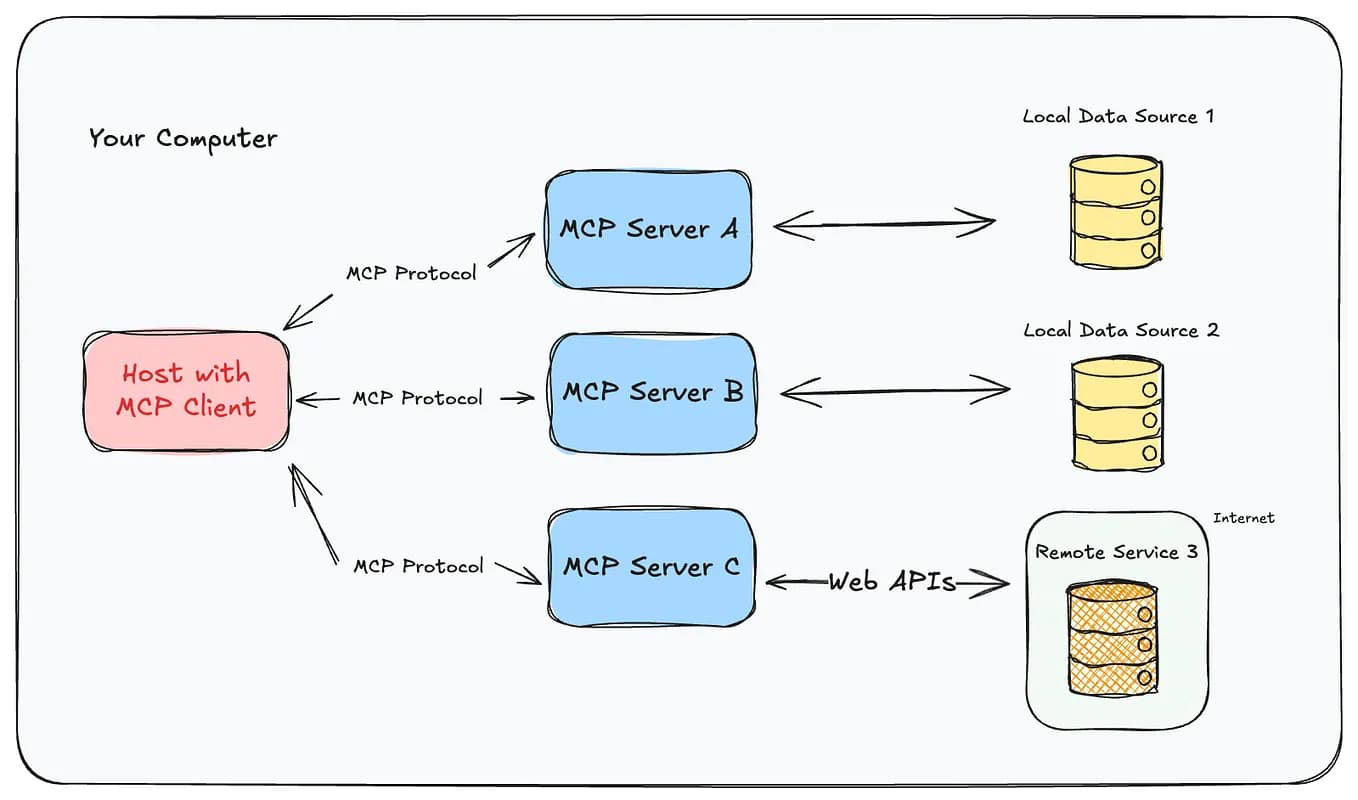
Octopus Deploy has released an official MCP server that plugs directly into Claude Code. This isn't another generic "AI assistant" wrapper—it's a purpose-built bridge between Claude Code and your Octopus Deploy instance, giving you natural language access to your deployment pipelines, environments, and release history.
The server exposes tools that let Claude Code:
- List and inspect environments (Dev, Staging, Production)
- View release history and deployment status
- Retrieve deployment logs and artifacts
- Trigger new deployments with specified versions and environments
What It Means For You
If you're running Kubernetes workloads through Octopus Deploy, this MCP server eliminates a huge source of friction: the context switch between your terminal and the Octopus dashboard.
Instead of alt-tabbing to check deployment status or hunting through the UI for a release number, you can just ask Claude Code:
claude: what's the current deployment status in production?
Claude Code will query your Octopus instance, pull the relevant data, and give you a concise answer—right in your terminal. No browser, no dashboard, no context switch.
For onboarding new team members, this is transformative. A new engineer can ask Claude Code to "show me the last 5 deployments to staging" and immediately understand the release cadence without needing a tour of the Octopus UI.
Try It Now
Installation
claude mcp add octopus -- npx @octopusdeploy/mcp-server
Authentication
You'll need an Octopus Deploy API key. Set it as an environment variable:
export OCTOPUS_API_KEY="your-api-key"
export OCTOPUS_SERVER_URL="https://your-instance.octopus.app"
Example Workflows
Check deployment status:
claude: What's the deployment status in production right now?
Compare environments:
claude: Which version is in staging vs production?
Trigger a rollback:
claude: Deploy version 2024.3.1 to production
Debug a failed deployment:
claude: Show me the logs from the last failed deployment in staging
Why This Matters

This is part of a broader trend: MCP servers are becoming the connective tissue between Claude Code and the operational tooling developers actually use. We covered the rise of MCP servers extensively—from testing and debugging them to the new MCP Workbench Beta—and Octopus Deploy's entry is notable because it targets operations, not just development.
Most MCP servers focus on code generation, file access, or database queries. Octopus Deploy is going after the deployment layer, which is where a lot of production pain lives. By giving Claude Code native access to deployment state, they're making it possible to automate release management in ways that were previously impossible without custom scripts.
Security Considerations
Before you wire this up, think about access control. The MCP server uses your API key, which means Claude Code will have whatever permissions that key has. If your API key can trigger production deployments, Claude Code can too.
Consider creating a dedicated API key with scoped permissions. You can grant it read-only access for most workflows, and only elevate permissions when you actually need to trigger deployments.
The Bottom Line
Octopus Deploy's MCP server is a solid, practical addition to the Claude Code ecosystem. It's not flashy, but it solves a real problem: deployment visibility and control without leaving your terminal. If you're already using Octopus Deploy, install it today. If you're not, this might be the push to evaluate it—especially if Kubernetes onboarding is a pain point for your team.
Source: news.google.com