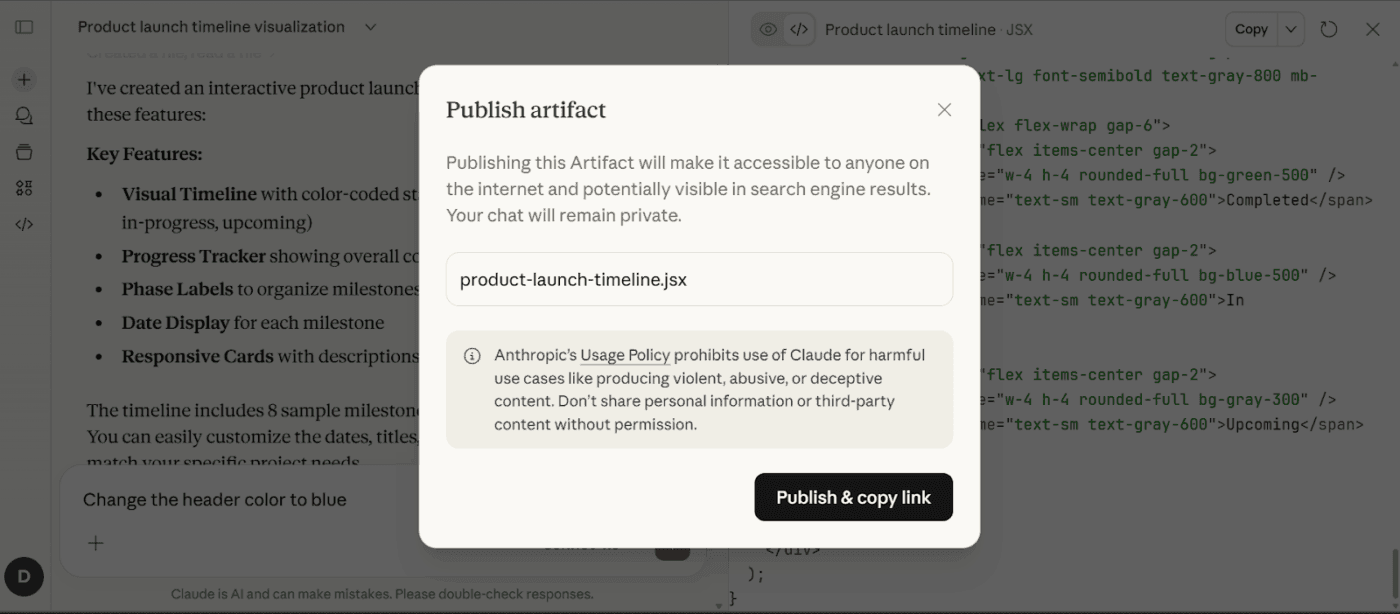
On June 18, Anthropic shipped Artifacts in Claude Code — a feature that turns your coding session's work into live, shareable web pages. Two days earlier, Claude Design got a major overhaul with design system imports, canvas editing, and a /design-sync command that closes the loop between design and code.
Boris Cherny, creator of Claude Code, called artifacts "a game changer" on X — and the 5.1K likes suggest he's not alone. Here's the operator's guide: what shipped, how to set it up, and where it fits in your workflow.
Key Takeaways
- Claude Code Artifacts (Team/Enterprise beta) turn session work into shareable, live web pages.
- Run
/login, then prompt for dashboards, PR walkthroughs, or incident pages — zero infrastructure needed.
What Actually Changed
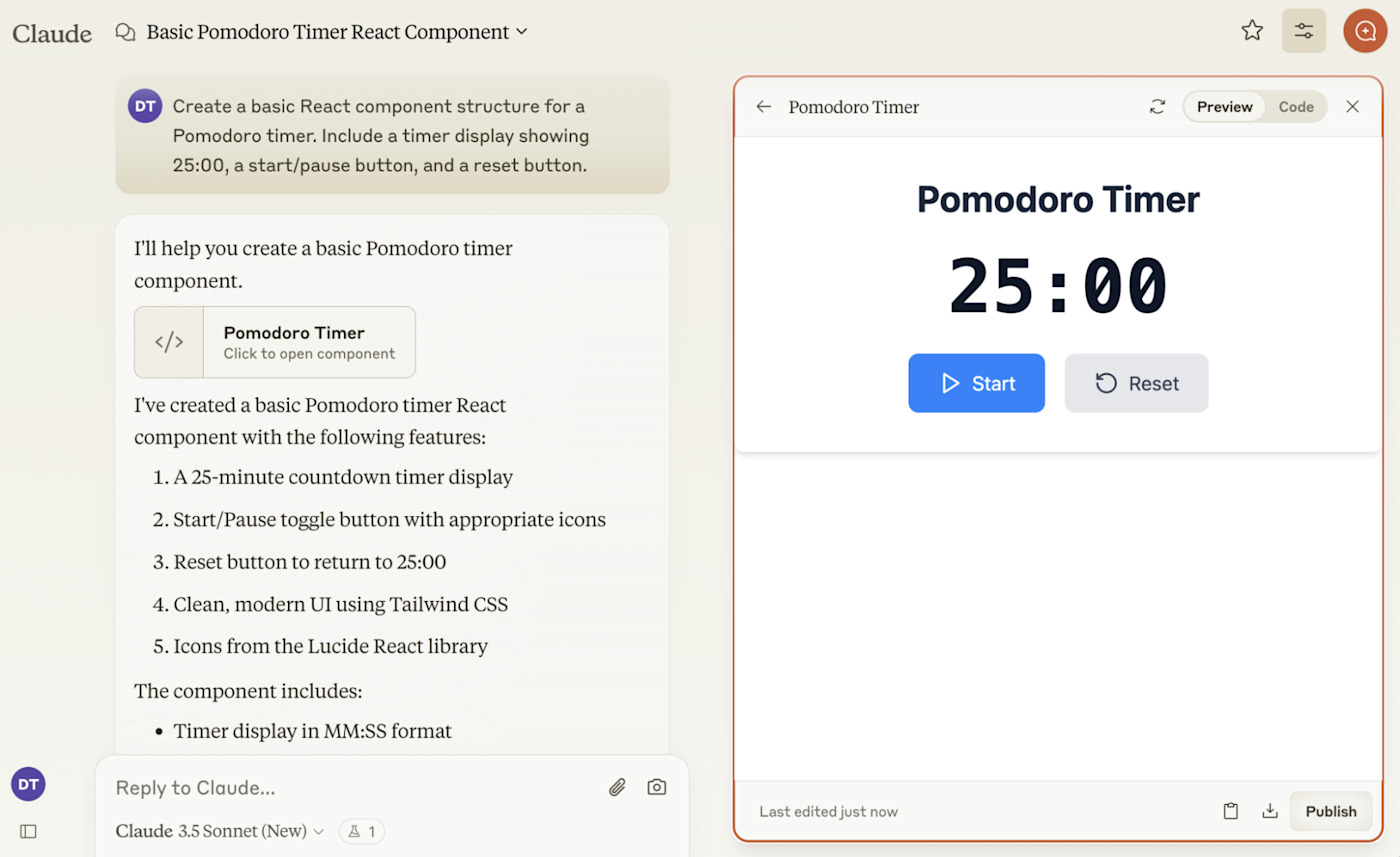
Artifacts are self-contained HTML pages that Claude Code builds from your session context. They're not static exports — they're live, interactive web pages at private URLs that update as your session progresses.
Anthropic listed these content types in the launch blog post:
- PR walkthroughs with embedded diffs
- System explainers and architecture diagrams
- Dashboards you can filter and sort
- Release checklists that fill themselves as work gets done
- Incident pages with live status
- License audits and privacy maps
- Security findings summaries
- Data-flow diagrams
The key difference from web-based Claude artifacts: these are generated from your coding session's context — the files you've touched, the changes you've made, the tests you've run. They're not generic canvases. They're views into the work the agent just did.
Availability: Beta on Team and Enterprise plans. You need to be signed in (/login in Claude Code). Individual plans don't have access yet.
Privacy: Artifacts are private by default. You share them explicitly with teammates, and they're viewable only by authenticated org members. Admins get org-level toggles, role-based scoping, retention policies, and compliance API visibility.
How to Use Artifacts in Claude Code
The setup is minimal. If you're on a Team or Enterprise plan:
- Sign in: Run
/loginin your Claude Code session if you haven't already - Ask for an artifact: Tell Claude Code what you want visualized — "create a dashboard of test results," "build a PR walkthrough for this diff," or "diagram the auth flow I just changed"
- Claude builds the page: It generates a self-contained HTML page from your session context
- Share the link: Click the share button in the page header to give teammates access
There's no separate infrastructure to configure. No Docker containers. No hosting setup. The artifact lives at a private Anthropic-hosted URL tied to your org.
What Works Well
From early operator reports and VentureBeat's coverage:
- PR reviews: A reviewer who doesn't want to clone your branch can see the walkthrough, the diff, and the rationale in one page
- Incident response: Build a live incident page as you debug — stakeholders watch the page instead of asking for Slack updates
- Architecture documentation: System diagrams that generate from the codebase you're actually working in, not a stale Confluence page
- Sprint reports: Weekly shipped-work summaries that pull from the session's git context
What Doesn't (Yet)
- No public sharing. Artifacts are org-only. If you need to share with external stakeholders, you'll still need to export
- No persistent data connections. Unlike the April 2026 "Live Artifacts" in web Claude, Claude Code artifacts reflect session state, not external databases
- Team/Enterprise only. Individual and Pro plans are out — and Anthropic hasn't announced a timeline for expansion
Claude Design: The Other Half of the Story
The artifacts launch didn't happen in isolation. Two days earlier, Anthropic overhauled Claude Design with three features that connect directly to the Claude Code workflow:
1. Design System Imports
You can now bring your design system into Claude Design from GitHub repos, design files, or direct uploads. Once imported, Claude Design generates assets using your components, checks its output against the design system, and makes corrections before you see the result.
2. The /design-sync Command
This is the integration point. From a Claude Code terminal:
/design-sync
This pulls your design system into your repo — or pushes what you've built back into Claude Design. The flow works both directions:
- Design → Code: Start a prototype in Claude Design, hand it off to Claude Code
- Code → Design: Built something in Claude Code that needs visual polish? Push it back to Claude Design for canvas editing
Engadget noted that Anthropic is betting the gap between design and code disappears when the same AI system handles both.
3. Canvas Editing
Users can now drag, resize, and align elements on the Claude Design canvas without asking Claude to regenerate. For small visual tweaks — nudging padding, reordering a layout — you edit directly instead of burning a model turn.
The Operator's Setup Checklist
For artifacts:
- Verify your org is on Team or Enterprise plan
- Run
/loginin each developer's Claude Code session - Establish org-level sharing policies (admin panel → Artifacts → Sharing controls)
- Set retention policies for artifact pages
For /design-sync:
- Import your design system into Claude Design (GitHub repo URL → Design system import)
- Run
/design-syncin Claude Code to pull the design system into your local project - Configure export destinations (PDF, PowerPoint, Adobe, Canva, Lovable, Replit, Vercel, Wix)
Real-World Operator Patterns
The "Show Don't Tell" PR Review. Instead of writing a PR description, generate an artifact during code review. The artifact includes the diff, the rationale, and interactive diagrams. Reviewers see the full context without cloning the branch.
The Live Incident Page. When debugging a production issue, build an artifact as you go. Stakeholders bookmark the artifact URL instead of joining a Slack thread.
The Sprint Visibility Dashboard. At the end of a dynamic workflow run — where Claude Code orchestrated multiple subagents — generate an artifact summarizing what each agent did, which files changed, and what tests passed.
The Design Handoff Loop. Start in Claude Design → /design-sync → build in Claude Code → generate artifact for review → push back to Claude Design for polish. The entire loop stays inside one AI system.
Where This Fits in the Agent Stack
Artifacts and design sync are Anthropic's answer to a specific problem: the output of an AI coding session is invisible to everyone who wasn't in the session.
Before artifacts, the operator pattern was: Claude Code does work → developer reviews in terminal → developer writes up results in Slack/Notion/Jira. Artifacts collapse the last step — the work product is the communication artifact.
Source: news.google.com
[Updated 22 Jun via hn_claude_code]
A new open-source tool, Claude Workflow Composer (CWC), now lets developers scan their Claude Code history to auto-generate multi-agent workflows. Run npx claude-cwc to open a visual canvas at http://localhost:3579, where repeated tasks are surfaced from session logs. Users can drag agents, set handoff triggers, and export directly to ~/.claude/ [per GitHub/CWC]. This addresses a gap in the current Artifacts workflow: while Anthropic's feature focuses on shareable output pages, CWC tackles the input side—turning past session patterns into reusable, schedulable pipelines.