Key Takeaways
- An AI developer ran three experiments comparing CLI and MCP for AI agents.
- CLI used 250 tokens for file ops and Git; MCP used over 2,000 due to tool schema overhead, but MCP won for web fetching (250 tokens vs 2,000+ for CLI).
What Happened
A developer ran three hands-on experiments comparing two approaches for connecting AI agents to the real world: the Command Line Interface (CLI) and the Model Context Protocol (MCP). The experiments tested file operations, Git commands, and fetching a webpage, measuring token usage and effectiveness.
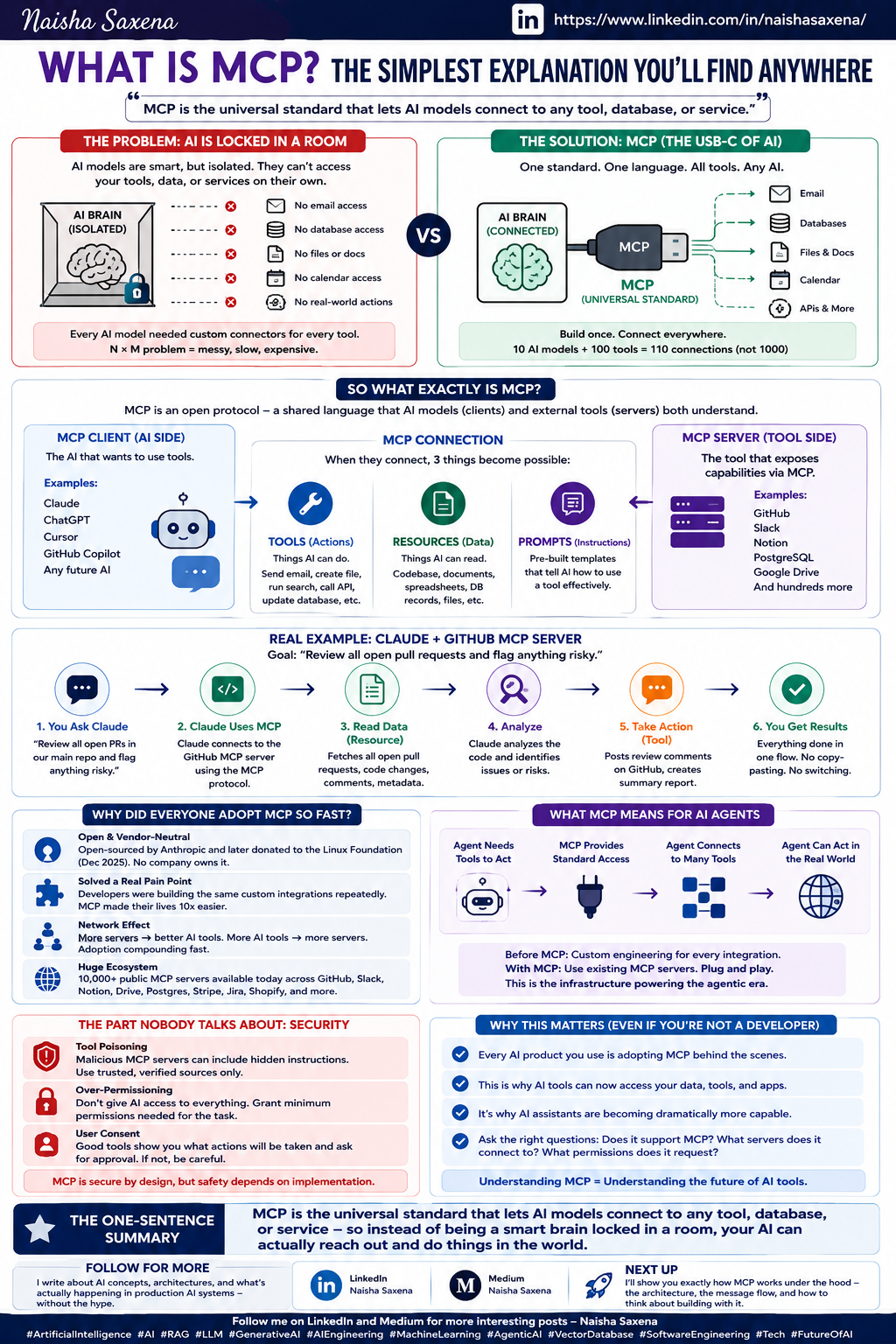
CLI allows AI agents to execute shell commands directly—like cat, grep, curl—leveraging knowledge baked into model training from millions of Stack Overflow posts and man pages. MCP, introduced by Anthropic in November 2024, is a standardized protocol where dedicated servers expose structured tools with names, descriptions, and JSON schemas.
Experiment 1: Simple File Operations
The agent needed to read a file (notes.md) and search both files for the word "agent".
CLI approach: Two bash commands: cat notes.md and grep -n "agent" *.md. The model knew the commands and flags from training—no schema needed. Token usage: minimal.
MCP approach: Two tool calls from the filesystem server: read_file and search_files. The server advertises 13 tools, each with a full JSON schema. Even though only two tools were used, all 13 schemas were loaded into the context window, consuming a couple of thousand tokens.
Verdict: Both succeeded, but CLI was more compact and token-efficient.
Experiment 2: Scaling Up with Git
The agent performed Git operations like viewing recent commits and checking status.
CLI approach: Simple commands like git log -n 10 --pretty=format:"%h %an %s" and git status. The model knows Git cold from training.
MCP approach: The GitHub MCP server ships 80 different tools, each with its own JSON schema. All 80 tool definitions get injected into the context window at conversation start—tens of thousands of tokens—even if only one or two tools are needed.
Verdict: CLI wins decisively for local developer tools. MCP pays a steep token tax for knowledge the model already has.
Experiment 3: Fetching a Webpage
The agent had to fetch modelcontextprotocol.io, identify the main heading, and summarize the first paragraphs.
MCP approach: A single call to the Fetcher MCP server (built on a headless browser) using the fetch_url tool. The server launched a browser, rendered JavaScript, converted to readable text, and returned the content. Used about 250 tokens and took a couple of seconds.
CLI approach: The agent tried curl -s <URL> | head -n 200. But modelcontextprotocol.io is a Next.js application—the server sends JavaScript framework code, not finished HTML. curl doesn't run JavaScript, so the agent got a skeleton and bundle code. The agent then improvised: chaining text processing tools, stripping HTML tags, filtering JavaScript, searching for JSON-embedded content. It even wrote a Python script to reverse engineer Next.js's internal data streaming format. This took several minutes and over 2,000 tokens.
Verdict: MCP wins for web fetching. CLI struggles with JavaScript-rendered pages.
The Pattern: When Each Wins
- CLI wins when commands map directly to jobs—file operations, Git, text processing, running scripts. CLI tools compose naturally with pipes, something MCP cannot do because each tool call is independent.
- MCP wins when there is a gap between what the raw tool gives you and what you actually need. This extends to authentication (Slack, Notion, databases), where MCP servers manage OAuth tokens and refresh, while CLI requires manual token handling.
Technical Details
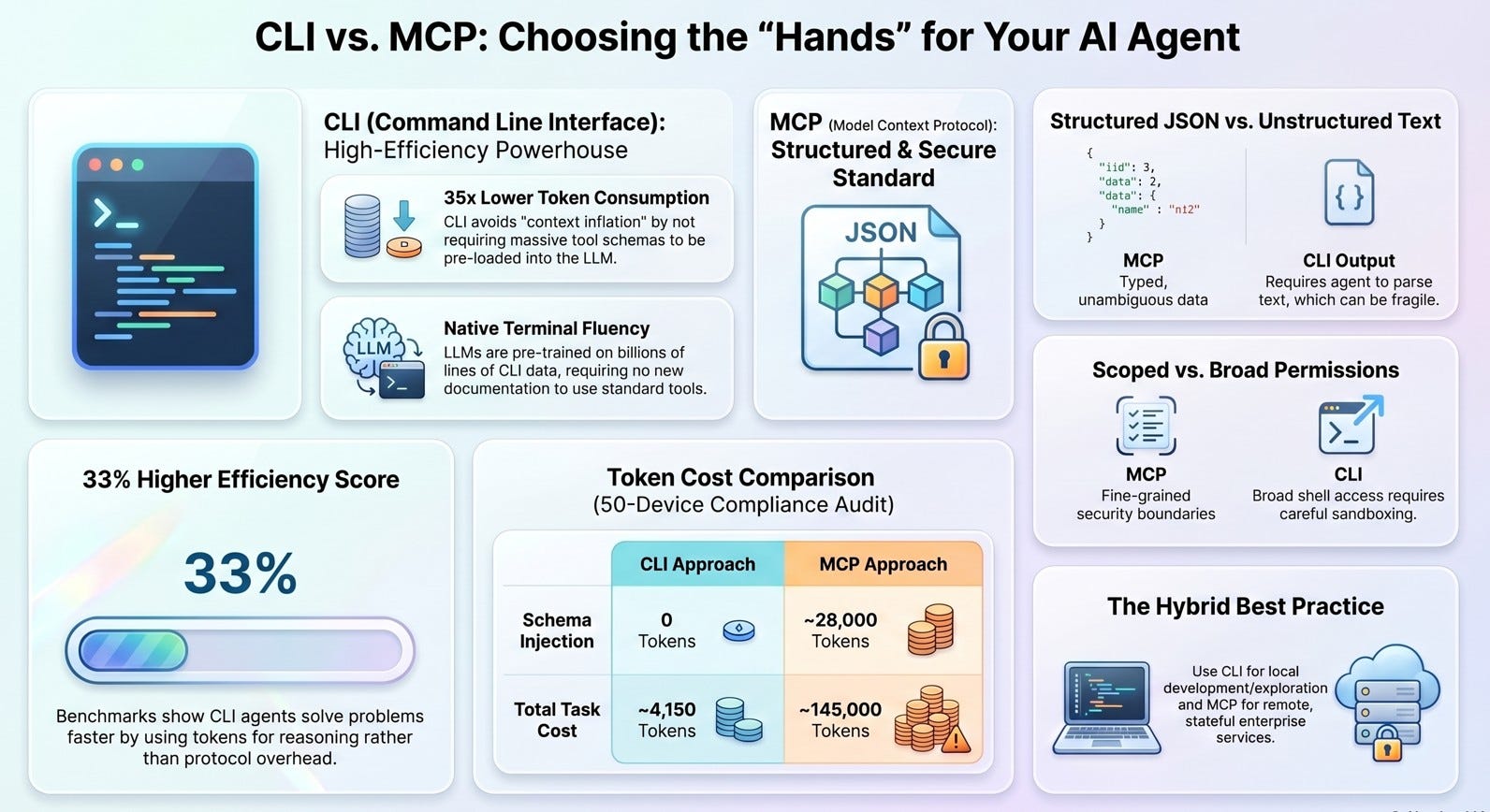
MCP's overhead comes from tool schema definitions loaded into the context window. Each tool has a name, description, and JSON input schema with parameter types. For a server with 80 tools, this can consume tens of thousands of tokens before any work begins. At API pricing, those tokens are actual money.
CLI avoids this overhead because the model already knows the commands from training. But CLI fails when the underlying tool returns raw data that needs processing—like JavaScript-rendered web pages.
Retail & Luxury Implications
For AI agents in retail and luxury, the CLI vs MCP choice directly impacts cost and performance:
- Internal operations: For tasks like file management, Git operations, and running scripts, CLI is more efficient. Luxury brands managing codebases or data pipelines should favor CLI for these tasks to minimize token costs.
- Web data extraction: For competitive intelligence—scraping competitor websites, monitoring product pages, or gathering market data—MCP's headless browser approach is essential. Many luxury and retail sites use JavaScript frameworks (Next.js, React) that CLI tools like
curlcannot render. - Authentication-heavy workflows: For integrating with Slack, Notion, or databases, MCP's server-managed authentication is more reliable than CLI's manual token handling.
The key insight: neither is universally superior. Retail AI architects should design agents that dynamically choose between CLI and MCP based on the task—CLI for local, well-known operations; MCP for web fetching and authenticated services.
Business Impact
Token costs directly impact operational expenses. For a retail AI agent processing thousands of daily requests:
- Using CLI for simple file/Git operations could save 80-90% of token overhead compared to MCP.
- Using MCP for web fetching could save similar amounts compared to CLI's brute-force approach.
The choice is not binary—it's about routing tasks to the right tool.
Implementation Approach
- Audit your agent's tasks: Categorize operations by whether the model already knows the tool (CLI-friendly) or needs abstraction (MCP-friendly).
- Implement dynamic routing: Configure agents to prefer CLI for local file operations, Git, and text processing; use MCP for web fetching and authenticated services.
- Monitor token usage: Track token consumption per task type to validate routing decisions.
- Consider hybrid approaches: For complex workflows, chain CLI and MCP calls—e.g., use MCP to fetch data, then CLI to process it locally.
Governance & Risk Assessment
- Maturity: Both CLI and MCP are production-ready, but the dynamic routing approach is still emerging.
- Security: CLI exposes the full system command surface; MCP limits tool access to defined schemas. For enterprise retail, MCP's sandboxed approach may be safer for production agents.
- Token cost: CLI wins for local tasks; MCP wins for web tasks. Misrouting can double costs.
Source: pub.towardsai.net