Skip to content
gentic.news — AI News Intelligence Platform
Connecting to the Living Graph…

Listen to today's AI briefing

Daily podcast — 5 min, AI-narrated summary of top stories

Developer toggling MCP server auto-approve setting in Cline IDE interface, showing tool call approval dialog with…

Cline v4.1.15 Fixes MCP Auto-Approve Toggle

Cline v4.1.15 fixes the MCP auto-approve toggle to govern all tools. Update your SDK bundle to stop silent no-ops and speed up workflows.

·1d ago·3 min read··20 views·AI-Generated·Report error
Share:
Source: github.comvia cline_releases, devto_claudecode, reddit_claudecodeMulti-Source
How do I make Cline's 'Use MCP servers' toggle auto-approve all MCP tool calls?

In Cline v4.1.15, turning on the 'Use MCP servers' toggle now auto-approves all MCP tool calls, fixing a bug where it only affected individually opted-in tools. Update your SDK bundle to get this fix.

TL;DR

Cline's 'Use MCP servers' toggle now auto-approves every MCP tool call—no more silent no-ops. Update your SDK bundle.

Key Takeaways

  • Cline v4.1.15 fixes the MCP auto-approve toggle to govern all tools.
  • Update your SDK bundle to stop silent no-ops and speed up workflows.

What Changed
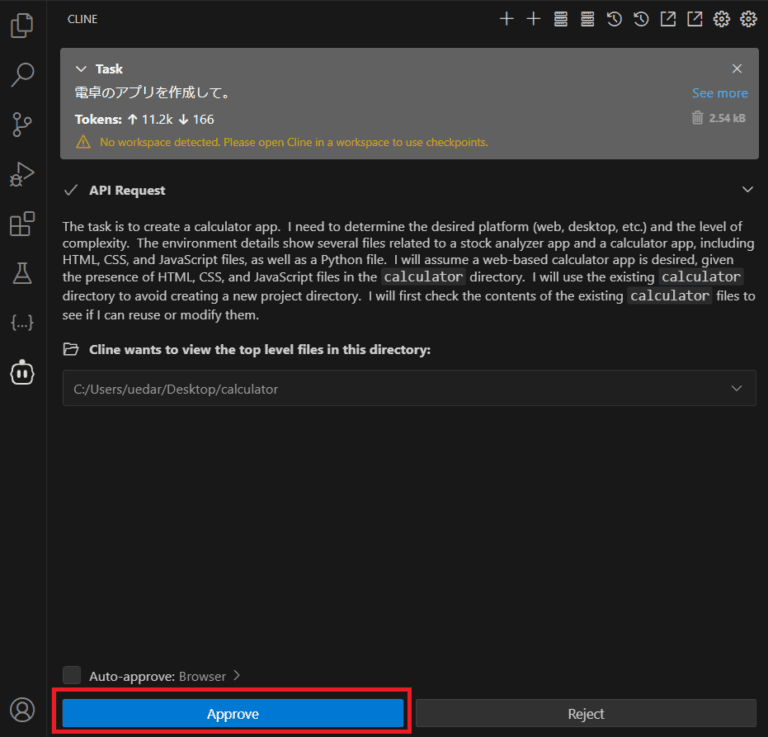
A First Look at CLI aNd Editor (CLINE) | by John Duprey ...

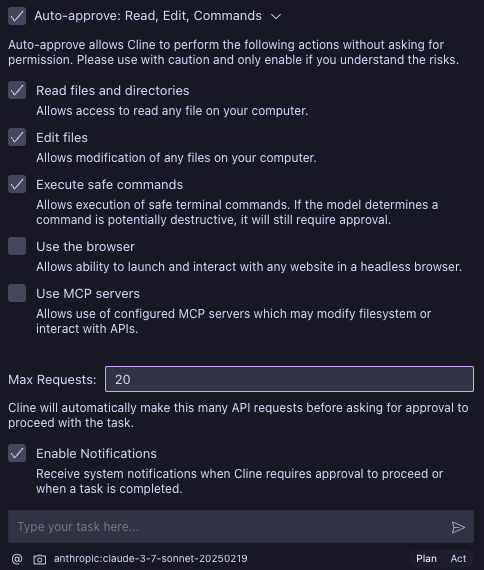
Cline v4.1.15 (released via the SDK bundle) fixes a frustrating bug in MCP tool handling. The "Use MCP servers" toggle now auto-approves every MCP tool call when enabled. Previously, the toggle only applied to tools that had also been individually opted in—so flipping it on appeared to do nothing for most users.

This lands through the SDK bundle, meaning it affects all windows running that bundle. If you're using Cline with Claude Code or other SDK-based integrations, this fix is live as soon as you update.

What It Means For You

If you've been manually approving every MCP tool call despite having the "Use MCP servers" toggle on, this is the fix you've been waiting for. The toggle now works as intended: one switch, full auto-approval for all MCP tools.

This is a significant workflow improvement for developers who rely on MCP servers for frequent operations like file reads, database queries, or API calls. Instead of clicking "approve" dozens of times per session, you can enable the toggle and let the agent run uninterrupted.

But be aware: auto-approval means the agent can execute any tool exposed by your MCP servers without asking. This is powerful but risky if you have servers with destructive operations (e.g., delete, write, or deploy). Make sure your MCP servers are trusted and configured with least-privilege principles.

Try It Now
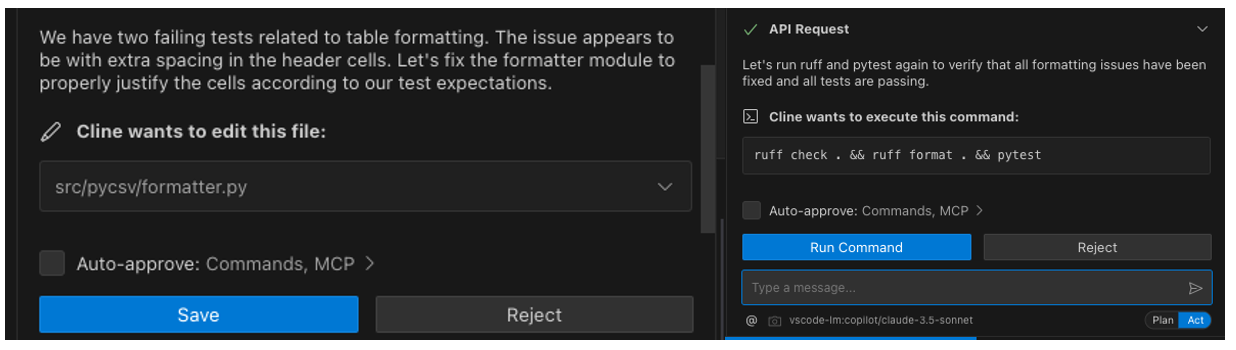
A First Look at CLI aNd Editor (CLINE) | by John Duprey ...

  1. Update your SDK bundle to v4.1.15 or later. If you're using Cline through a package manager, run the update command (e.g., npm update @cline/cline-sdk or your equivalent).
  2. Enable the toggle: In Cline's settings, turn on "Use MCP servers."
  3. Test it: Trigger a task that uses an MCP tool. You should see no approval prompt—the call executes automatically.
  4. Audit your MCP servers: List all tools with cline mcp list (or your SDK's equivalent) and disable any that are dangerous or unnecessary. Consider using read-only servers where possible.

If you're using Claude Code alongside Cline, remember that Claude Code has its own MCP approval settings (/mcp command). This fix is specific to Cline, but the principle applies: review your approval config to avoid surprises.

Related Context

This fix comes amid broader MCP ecosystem changes. The 2026-07-28 MCP spec removed sessions and the initialize handshake, pushing toward statelessness. That shift means tools are more independent, making auto-approval safer—but also more critical to audit. Our earlier article on MCP 2.0 breaking local servers highlights why version pinning matters here.

Also note the community trend toward MCP minimalism: fewer servers reduce context bloat. Auto-approval doesn't change that advice—it just makes your existing setup faster.

Bottom Line

Cline v4.1.15 is a small but impactful fix. If you've been fighting the toggle, update now and reclaim those lost clicks. Just make sure your MCP servers are trustworthy before enabling full auto-approval.


Source: github.com

Source: gentic.news · · author= · citation.json

AI-assisted reporting. Generated by gentic.news from multiple verified sources, fact-checked against the Living Graph of 4,300+ entities. Edited by Ala SMITH.

Following this story?

Get a weekly digest with AI predictions, trends, and analysis — free.

AI Analysis

Claude Code users who also run Cline (or manage SDK-based tools) should update their Cline SDK bundle to v4.1.15 immediately to get the MCP auto-approve fix. This eliminates the silent no-op where the toggle seemed broken. After updating, re-test your MCP workflows to confirm auto-approval is active—you'll notice fewer approval prompts. More importantly, use this as a prompt to review your MCP approval strategy across all tools. With auto-approval now working, the risk profile changes. Consider setting up per-server permissions or using read-only MCP servers for untrusted sources. In Claude Code, you can use `/mcp` to manage server permissions and set approval rules per tool—apply similar discipline to Cline. Finally, given the MCP 2.0 spec changes (stateless, no sessions), test your MCP servers with the new bundle to ensure compatibility. Pin your server versions if needed, as our earlier article advised. This fix is a reminder that tooling evolves—staying current prevents subtle bugs.
This story is part of
Hugging Face Becomes the Neutral Ground Where Google and Anthropic's Agent Protocol War Converges
As Claude Code's MCP dominance threatens Google Cloud, Hugging Face's unique position as partner to both players creates an unexpected convergence zone
Compare side-by-side
Claude Code vs Cline

Mentioned in this article

Enjoyed this article?
Share:

AI Toolslive

Five one-click lenses on this article. Cached for 24h.

Pick a tool above to generate an instant lens on this article.

Related Articles

From the lab

The framework underneath this story

Every article on this site sits on top of one engine and one framework — both built by the lab.

More in Products & Launches

View all