What Changed
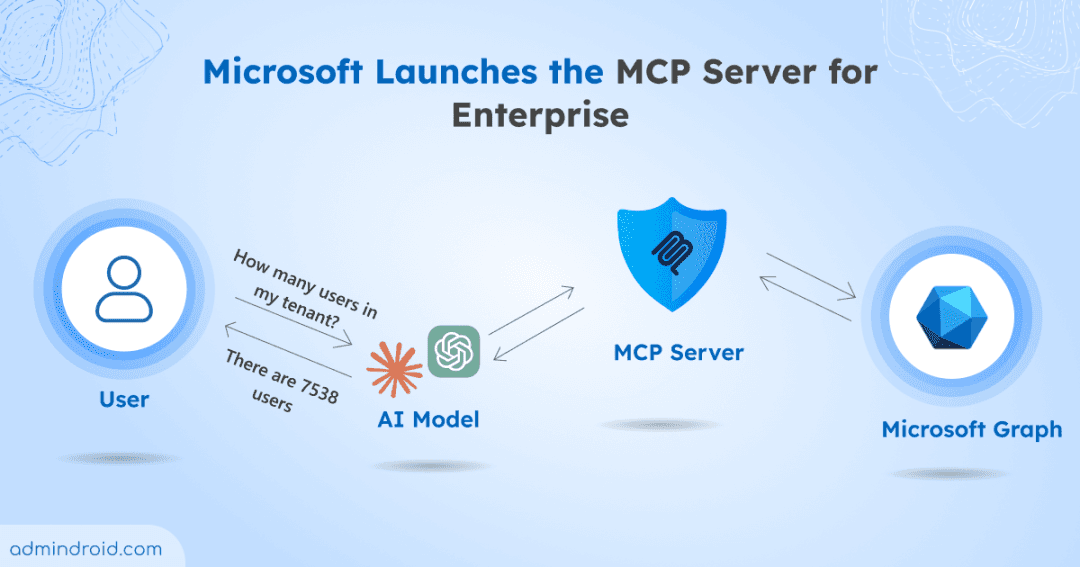
Getty Images has officially launched a Model Context Protocol (MCP) server that connects its massive library of creative and editorial content to AI workflows. This means you can now search, retrieve, and even license images directly from within Claude Code—no more switching to a browser, downloading, and manually embedding assets.
Announced via Getty Images' newsroom, the MCP server is designed to let AI agents access Getty's curated visual content programmatically. While the exact launch date isn't specified, this is a significant step for developers who build applications that need high-quality, rights-cleared imagery.
What It Means For You
For Claude Code users, this is a game-changer for projects that require visual assets. Whether you're building a website, generating marketing materials, or creating documentation, you can now pull licensed images without leaving your terminal. The MCP server handles the search and retrieval, and it integrates with Getty's licensing system, so you can stay compliant with usage rights.
This is especially useful for:
- Web development: Quickly grab hero images or product shots for client work.
- Content generation: Automatically source relevant photos for blog posts or social media.
- Prototyping: Test with real, licensed images instead of placeholders.
Try It Now
To get started with the Getty Images MCP server in Claude Code, you'll need to add it to your configuration. While I don't have the exact command from the announcement, MCP servers are typically added like this:
claude mcp add getty-images -- npx @getty-images/mcp-server
Or, if you prefer a config-based approach, add it to your .mcp.json:
{
  "mcpServers": {
    "getty-images": {
      "command": "npx",
      "args": ["@getty-images/mcp-server"],
      "env": {
        "GETTY_API_KEY": "your-api-key"
      }
    }
  }
}
You'll likely need a Getty Images API key, which you can obtain from their developer portal. Once configured, you can ask Claude Code to find images with natural language prompts like:
- "Find a high-res image of a mountain landscape for my blog header."
- "Search for editorial photos of the 2024 Olympics for a news article."
- "Get a licensed image of a laptop on a desk for my product page."
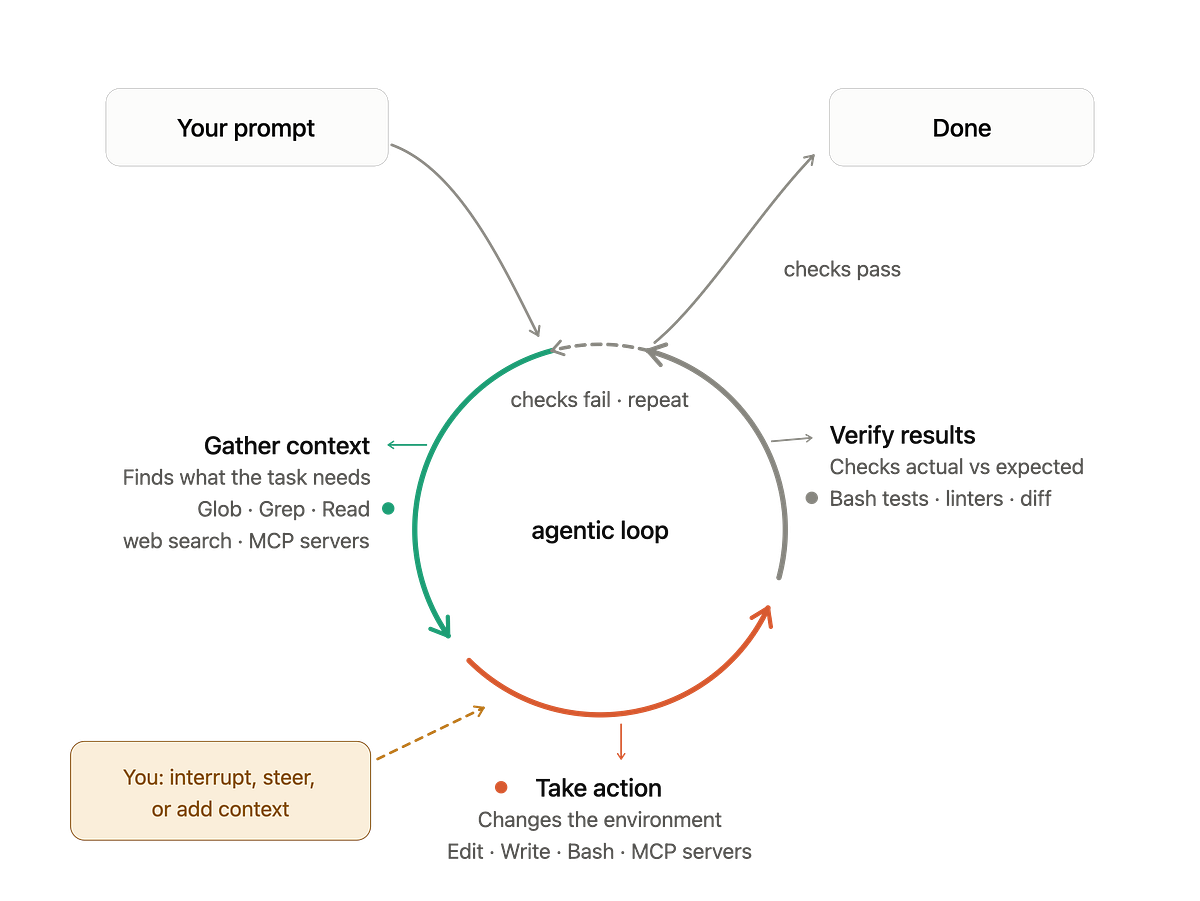
Claude Code will then query the Getty library and return image metadata, URLs, and licensing details—all without breaking your flow.
Why This Matters for the MCP Ecosystem
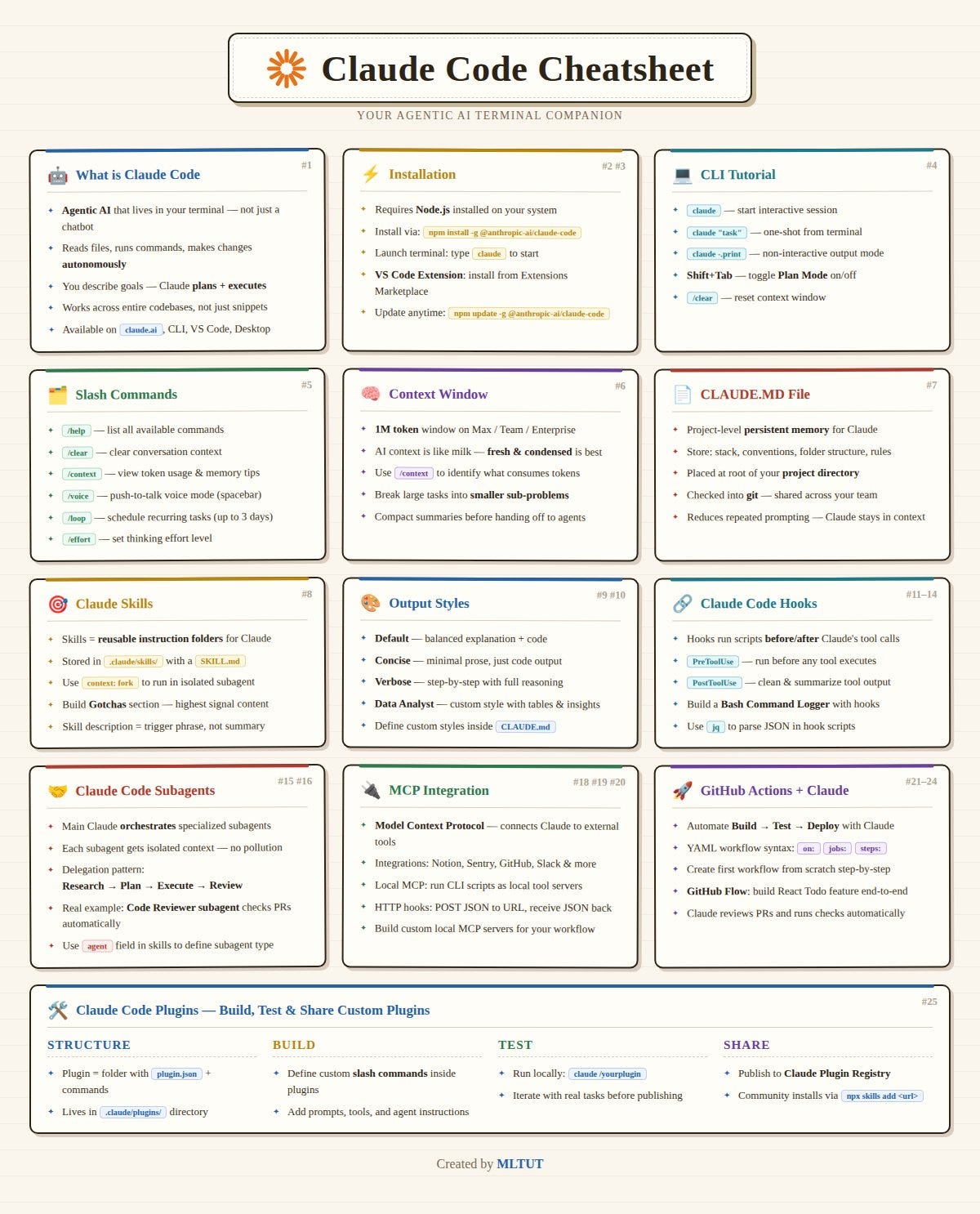
Getty's launch is another validation of MCP as the standard for connecting AI to external data sources. Since Anthropic introduced MCP in November 2024, adoption has grown rapidly. Getty joining the ecosystem means more than just stock photos—it signals that major content providers see MCP as the bridge between AI and their offerings.
For developers, this is a trend to watch. If you're building tools that need any kind of external data—images, video, audio, or even data APIs—MCP servers are becoming the go-to integration method. Claude Code's native support for MCP makes it easy to plug these in and start using them immediately.
Bottom Line
Getty Images' MCP server is a practical addition to Claude Code's toolkit. It saves you from context-switching, ensures you're using licensed content, and makes your workflow more efficient. If you work with visual assets, this is worth setting up today.
Source: news.google.com