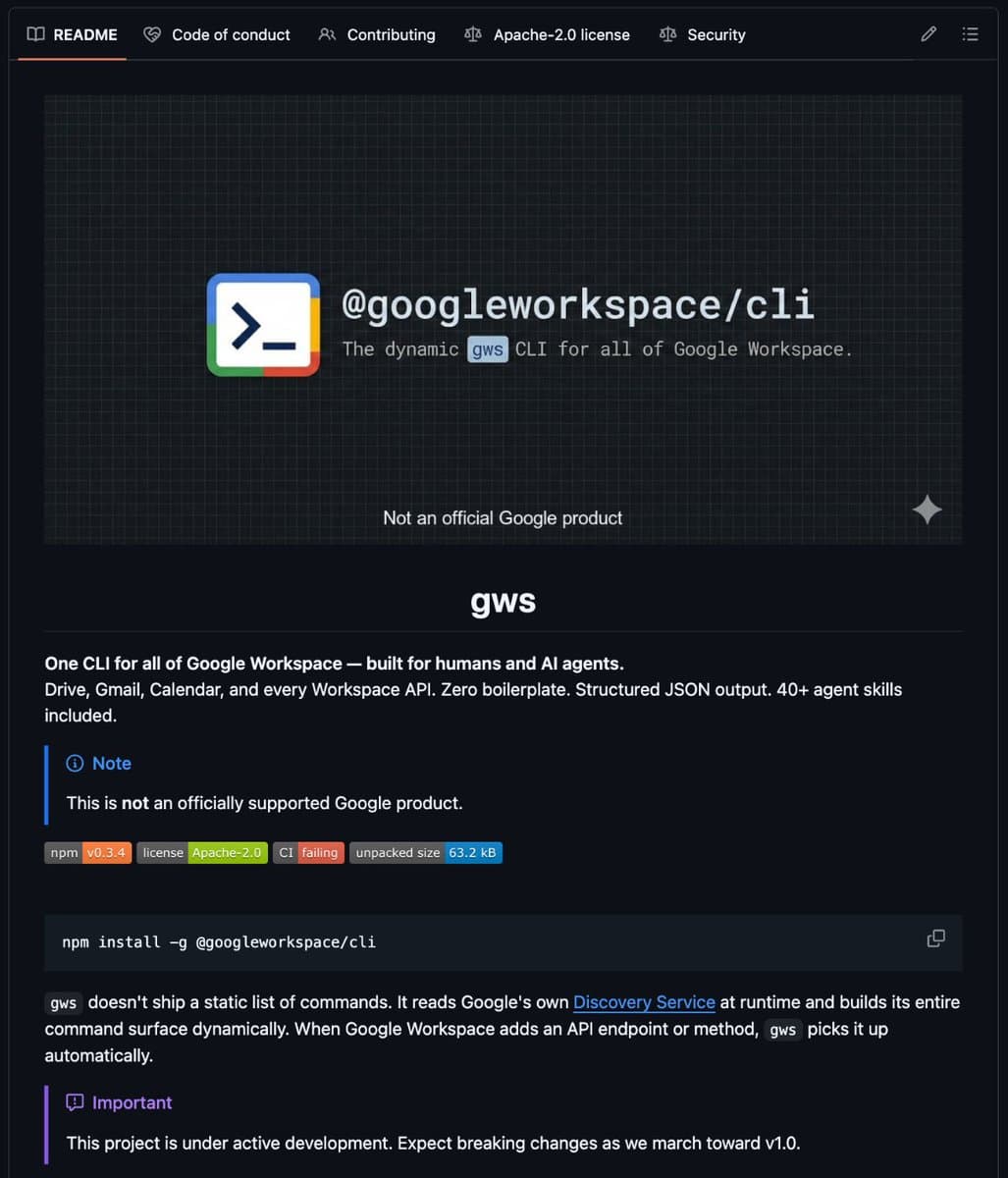
In a move that significantly lowers the barrier for AI-agent integration with enterprise productivity suites, Google has open-sourced gws, a command-line interface tool being hailed as "the most powerful Workspace CLI on the internet." Announced via developer Hasán Choudhury (@hasantoxr), the tool represents a paradigm shift in how developers and, crucially, AI agents interact with Google's sprawling ecosystem of Workspace APIs.
Unlike traditional CLI tools that ship with a fixed set of commands, gws operates on a dynamic discovery model. At runtime, it queries Google's own Discovery Service—the registry that documents all public Google APIs—and builds its entire command surface automatically. This means the tool is inherently future-proof: when Google releases a new endpoint for Drive, Gmail, Calendar, Sheets, Docs, or Chat, gws picks it up immediately. No updates required.
How gws Works: Beyond Static Tooling
The genius of gws lies in its architecture. Instead of requiring developers to write boilerplate REST API calls, handle OAuth 2.0 authentication flows, and parse JSON responses for every Workspace service, gws provides a unified, consistent interface. You authenticate once using the tool's secure credential management (which uses AES-256-GCM encryption via the OS keyring), and you instantly have command-line access to hundreds of API operations across the entire Workspace portfolio.
The commands are generated dynamically based on the Discovery Service documentation. For example, to list files in Google Drive, you might use a simple gws drive files list command. The tool handles the HTTP request, authentication header, query parameters, and response parsing, outputting clean, structured JSON by default.
Built for the AI Agent Era
Perhaps the most groundbreaking aspect of gws is its native orientation toward AI agents and workflows. The tool ships with over 100 pre-built "AI Agent Skills" out of the box. These are modular capabilities that allow an AI agent—like one built on Claude, Gemini, or an open-source framework—to perform complex Workspace operations without the developer having to create custom tooling.
Key integrations include:
- Built-in MCP (Model Context Protocol) Server: This makes gws immediately compatible with Claude Desktop and other MCP-enabled agents. An AI can now manage your Gmail, Calendar, or Docs through a standardized protocol.
- Native Gemini CLI Extension Support: Developers using Google's Gemini models can extend the CLI with direct AI capabilities.
- Structured JSON Output: Every command returns predictable JSON, making it trivial for AI agents to parse results and decide on next actions.
- Model Armor Integration: This provides built-in protection against prompt injection attacks, a critical security consideration when giving AI agents access to sensitive Workspace data.
Security and Enterprise Readiness
Google has clearly designed gws with enterprise security in mind. Credentials are never stored in plaintext; they are encrypted using AES-256-GCM and managed via the operating system's native keyring (Keychain on macOS, Credential Manager on Windows, etc.). The integration with Model Armor helps harden AI agents against malicious attempts to subvert their instructions.
The dynamic nature of the tool also aids security maintenance. Because it reads API specifications directly from Google at runtime, it always uses the latest recommended authentication methods and security practices for each endpoint.
Implications for Developers and Businesses
For developers, gws eliminates what Choudhury calls "repetitive auth code" and "REST boilerplate." Building an internal tool to generate Google Sheets reports, sync Drive folders, or manage Calendar events becomes a matter of scripting simple gws commands rather than wrestling with client libraries and OAuth flows.
For businesses and IT departments, gws opens the door to sophisticated automation. AI agents can now be tasked with:
- Automatically organizing company Drive directories
- Scheduling meetings based on email content
- Generating and populating Docs or Sheets from data pipelines
- Managing Chat spaces for projects
All without writing a single line of API integration code.
The Open Source Momentum
Released under an open-source license, gws has already garnered significant community interest, amassing over 2,800 stars on GitHub shortly after announcement. The open-source model encourages community contributions, security audits, and the development of plugins or extensions, potentially creating an ecosystem around Workspace automation.
This move aligns with Google's broader strategy of providing robust tools for developers building on its platform, especially as AI integration becomes a key differentiator. By open-sourcing such a powerful connector, Google is effectively crowdsourcing the development of use cases for its Workspace APIs in the AI era.
Looking Ahead: The Future of Agentic Workflows
gws is more than a convenience tool; it's an enabler for the agentic workflow future. As AI agents move from chatbots to active assistants that can perform tasks across multiple applications, they need standardized, secure, and powerful interfaces to core productivity platforms. gws provides exactly that for Google Workspace.
The dynamic API discovery model might also set a precedent for how other platform providers approach AI agent tooling. If Microsoft, Salesforce, or other enterprise software giants follow suit, we could see the emergence of a new layer of abstraction where AI agents operate seamlessly across diverse business ecosystems.
For now, developers and companies invested in Google's ecosystem have a powerful new tool to automate, integrate, and innovate—and their AI agents are ready to get to work.
Source: @hasantoxr on X