There's a version of this post that reads like a marketing brochure. This isn't that version.
A real team used Claude Code on a production Next.js 15 headless storefront — Shopify Storefront API, TypeScript strict mode, Tailwind CSS, shadcn/ui, Directus CMS. Over 60 components. Multiple API integrations. A codebase that had to ship.
Here's what actually worked, what broke, and how you can replicate the wins.
Key Takeaways
- CLAUDE.md + Directus MCP cut correction loops 50% on a Next.js 15 storefront.
- One dev's real-world setup, rules, and cautionary tales.
The CLAUDE.md Investment That Paid Back in One Session
The single most important thing they did before writing a line of code: invest serious time in CLAUDE.md.
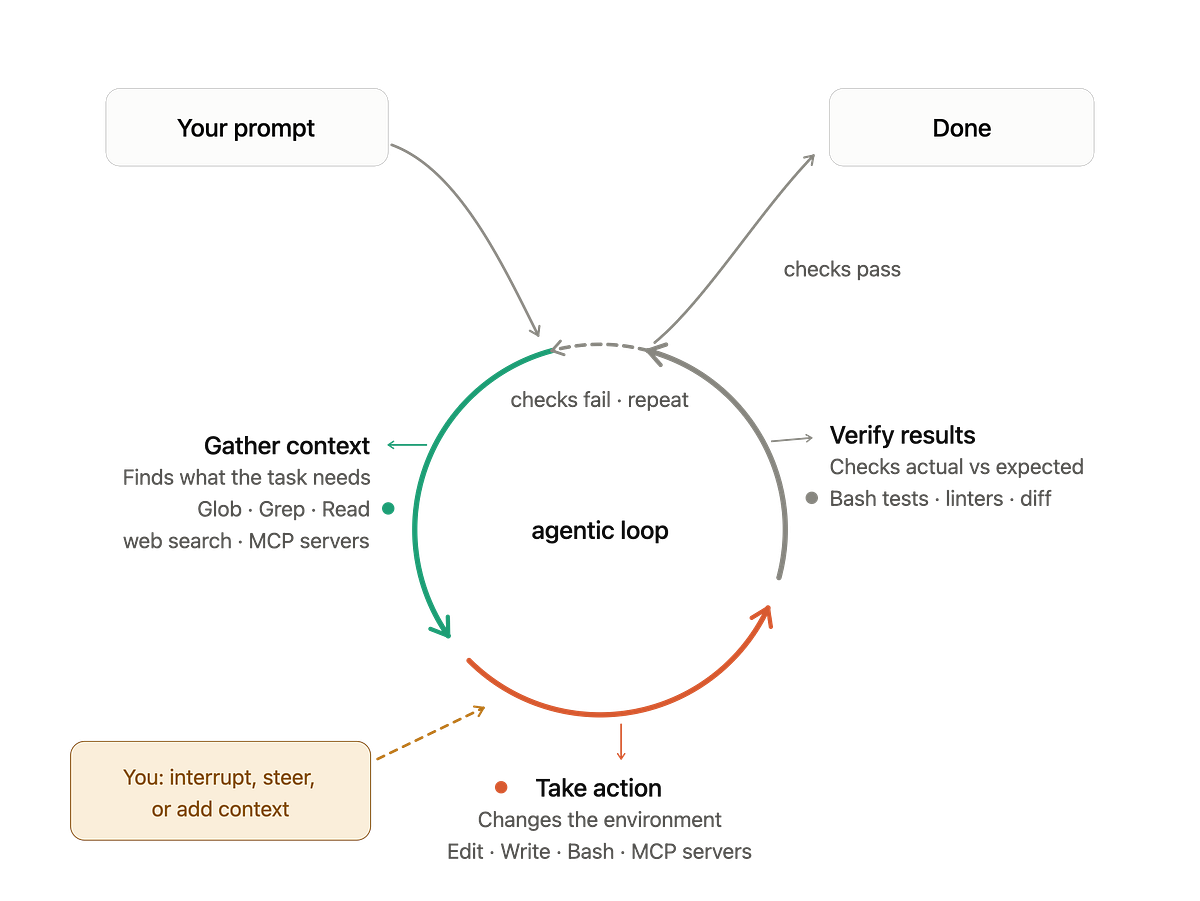
This file is Claude Code's context layer — the first thing it reads in any session. They treated it like onboarding documentation for a senior hire. Their CLAUDE.md included:
# Project: [Client] Storefront

## Tech Stack
- Next.js 15 (App Router, RSC-first)
- TypeScript strict mode
- Tailwind CSS + shadcn/ui
- Shopify Storefront API v2024-04
- Directus 11 (headless CMS)

## Folder Structure
- /app — Next.js App Router pages and layouts
- /components/ui — shadcn/ui base components (do not modify directly)
- /components/storefront — custom storefront components
- /lib/shopify — Storefront API client and typed queries
- /lib/directus — CMS client and typed queries

## Code Standards
- All components use TypeScript interfaces, not `any`
- Server Components by default; add 'use client' only when needed
- Fetch calls go in /lib, not inside components
- shadcn/ui components live in /components/ui — extend, don't modify

## Workflow Rules
- Always run type-check after changes
- New components need a .test.tsx file
- Cart state is managed via CartProvider — touch with caution
Result: Within the first session, Claude Code understood their conventions. It suggested Server Components correctly, stopped putting fetch calls inside React components, and generated clean generateMetadata functions without prompting.
"If you skip CLAUDE.md, you're going to spend half your time correcting convention violations instead of shipping features."
What Claude Code Excelled At
React Server Components and data fetching. Claude Code defaulted to async Server Components for data-heavy pages, knew when to reach for Suspense boundaries, and wrote clean metadata generation.
shadcn/ui integration. Because shadcn/ui components are installed directly into the project (not imported from a package), Claude Code could read the actual component source and extend it correctly. When asked to build a custom ProductCard using the base Card component, it did it right the first time.
Typed API queries. The team's /lib/shopify layer uses GraphQL fragments and typed responses. Claude Code learned the pattern from existing files and replicated it consistently for new queries — typed, with proper error handling.
Test coverage. When the CLAUDE.md established the rule that new components needed .test.tsx files, Claude Code started writing them without being asked. Not perfect tests, but solid coverage of expected renders and user interactions.
The Directus MCP Integration That Cut 75% of Back-and-Forth
Mid-project, they connected Claude Code to the Directus MCP server. Before that, working with CMS content required context-switching: checking the admin for field names, copying schema details into the chat. Claude Code would occasionally generate field names that were subtly wrong (hero_text vs hero_heading).
After the MCP connection, Claude Code could query the actual Directus schema directly. It knew exact field names, understood relational structure, and generated correctly typed fetch calls on the first attempt.
The practical impact: what used to take 20-30 minutes of back-and-forth took 5 minutes. On a project with significant CMS-driven content, that compounds fast.
What Went Wrong: The Cart Cascade Incident
This is the cautionary tale. About three weeks in, the developer asked Claude Code to add a loading state to the cart button — a seemingly simple, isolated change. Auto-Accept was enabled. They weren't paying close attention.
The change cascaded. CartButton shared state through CartProvider. Modifying the component's internal state handling created a type mismatch in the provider interface. That broke two other components.
Lesson learned: Never use Auto-Accept on components that share state through providers or context. Always run npm run type-check after any Claude Code change — put that rule in your CLAUDE.md.
How to Apply This Today
Write your CLAUDE.md before your first prompt. Include tech stack, folder structure, key commands, code standards, and workflow rules. Treat it like onboarding docs for a senior developer.
Connect your CMS via MCP. If you use Directus, Strapi, or any CMS with an MCP server, connect it. Let Claude Code query the live schema instead of guessing field names.
Set rules for shared state. In your CLAUDE.md, explicitly mark components that use providers or context as "touch with caution." Consider disabling Auto-Accept for those files.
Mandate type-check in your workflow. The rule "Always run type-check after changes" belongs in every CLAUDE.md. TypeScript catches the cascading errors that Claude Code can't see.
Source: dev.to