Key Takeaways
- Build your own MCP server this weekend: reshape your existing tool schemas to the MCP spec, expose over HTTP, and let Claude Code drive your infra remotely.
- The decoupling alone is worth it.
What Changed — You Don't Need to Wait for MCP Servers
You've probably installed a few MCP servers by now—maybe the GitHub one, a database one, or something from the community. But here's the thing: you can build your own. And it's a lot simpler than you think.
One developer (Mike Splore) just documented his journey building an MCP server for his app, and the takeaway is clear: if you've already built any function calling into your app, you're 80% of the way there. MCP is just a standardized protocol for exposing tools to LLMs (Anthropic, Nov 2024). It's essentially the same function calling you've been building all along.
What It Means For You — Decouple Your Tools From Any LLM
The pain Mike hit: every time he swapped LLM providers, he had to rewrite the tool-calling glue. Everything was tightly coupled to whichever model he happened to be using that week. MCP solves the M×N problem—wiring M models to N tools without writing M×N integrations.
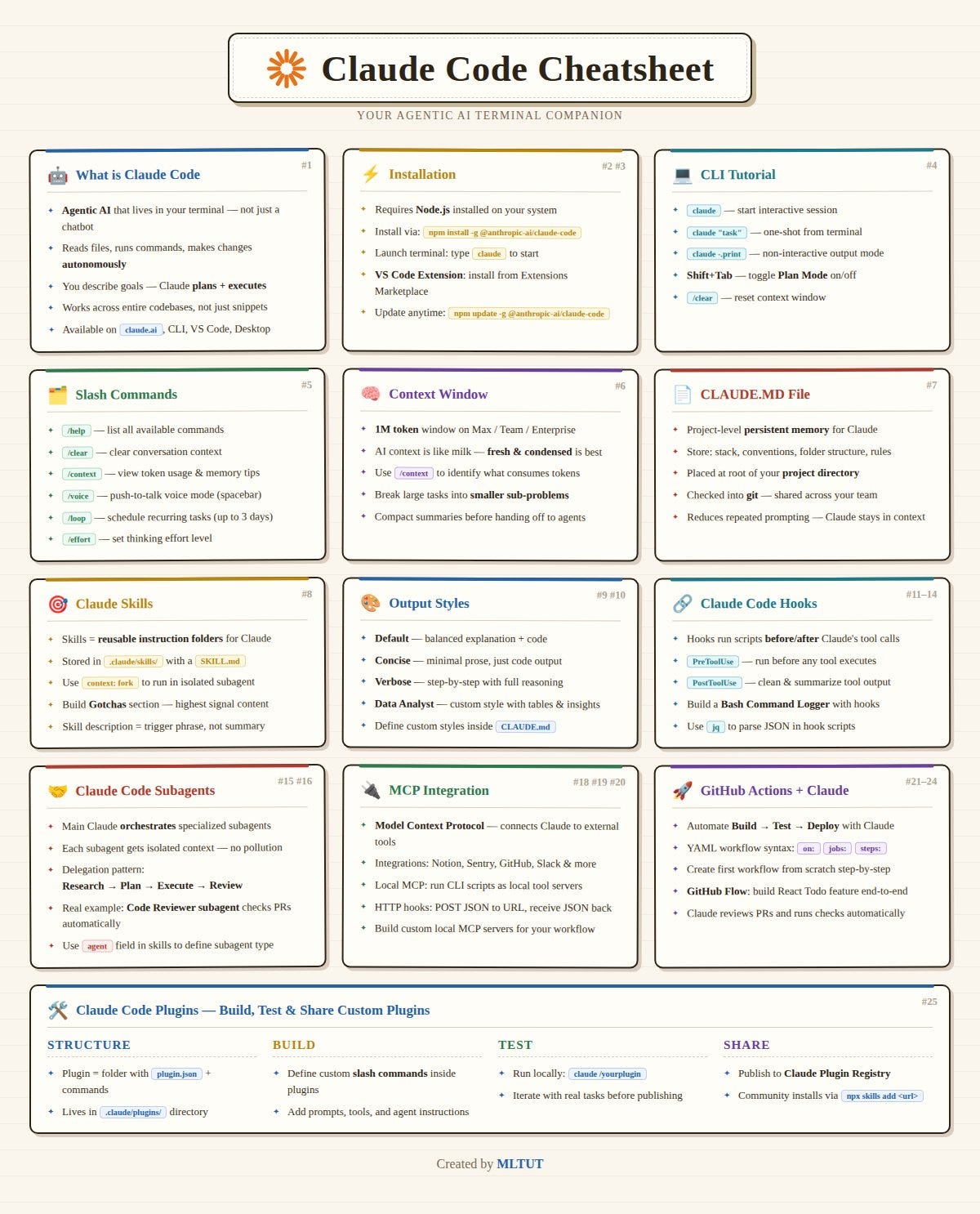
For Claude Code users, this means you can build a server that exposes your own app's tools, your infrastructure commands, or your internal APIs, and Claude Code (or any MCP-speaking client) can call them directly. No more custom integrations per client.
Try It Now — Build Your Own MCP Server
Here's the process Mike followed, distilled into steps you can start this weekend:

- Lift your existing tool suite. If your app already has functions that do useful things (check data usage, list projects, block users), grab them.
- Reshape schemas to the MCP spec. The spec is at modelcontextprotocol.io. You're mostly renaming and restructuring your existing JSON schemas.
- Run it over stdio first. Mike tested through the Cline plugin and it worked on the first try, talking over local stdin/stdout.
- Expose it over HTTP. To reach it from remote clients like Claude, expose the MCP over HTTP, route it through Nginx, and bolt on auth for multi-tenancy.
Mike deliberately left out the language/framework—the point is the "why," not the wiring. But the process is language-agnostic.
The "Wow" Moment — Claude Driving Your Real Machines
Once it was live, Mike sent a message from his phone: "Show me my data usage for this month, my battery status, and the network I'm connected to—and send me a push notification reminding me to sleep." One prompt, four tools across his laptop, zero context-switching.

Then he got greedy. He sent a prompt to investigate his Ubuntu Server's 80% RAM usage, with a strict constraint: do not restart, kill, stop, or modify any processes. The model pulled live memory stats, top processes, and Docker usage concurrently, reasoned about OOM risk, and handed him a formatted PDF—combining his host tools with its own report generation.
The Real Takeaway — Composability Over Reinvention
The magic of MCP isn't reinventing function calling—it's composability. Your server brings remote execution against your infra; the client model brings reasoning and capabilities you never wrote, like rendering that PDF. Combined, you get an agent tailored to your exact stack, portable across any MCP-speaking client.

If you've been putting it off because it sounds over-engineered, don't. It's simpler than you think, and the decoupling alone is worth the weekend.
Related Reads
We recently covered how to test and debug MCP servers for Claude Code, and the community shift to MCP minimalism—preferring fewer servers to reduce context bloat. Building your own server fits right into that: you control exactly what tools are exposed, so you can keep your context lean.
The Bottom Line
Build your own MCP server. It's a weekend project that pays off in decoupling, portability, and the sheer thrill of watching Claude Code drive your real infrastructure from your phone.
Source: dev.to