Skip to content
gentic.news — AI News Intelligence Platform
Connecting to the Living Graph…

Listen to today's AI briefing

Daily podcast — 5 min, AI-narrated summary of top stories

Developer using Claude Code with Lumonic MCP server, showing portfolio data transformed from CSV to clean…

Lumonic MCP Server Cuts Portfolio Data Prep from 3 Hours to 30 Seconds for

Lumonic MCP server gives Claude Code instant access to audit-ready portfolio data, cutting data prep from 3 hours to 30 seconds via `claude mcp add lumonic`.

·3d ago·3 min read··21 views·AI-Generated·Report error
Share:
Source: news.google.comvia gn_mcp_protocolSingle Source
How do I use the Lumonic MCP server with Claude Code for portfolio data?

Lumonic's MCP server connects Claude Code directly to audit-ready portfolio data, eliminating manual exports and prep. Install with `claude mcp add lumonic` and query holdings, performance, and risk metrics in natural language.

TL;DR

Lumonic's new MCP server gives Claude Code instant, audit-ready access to portfolio data, replacing manual spreadsheet wrangling.

What It Does

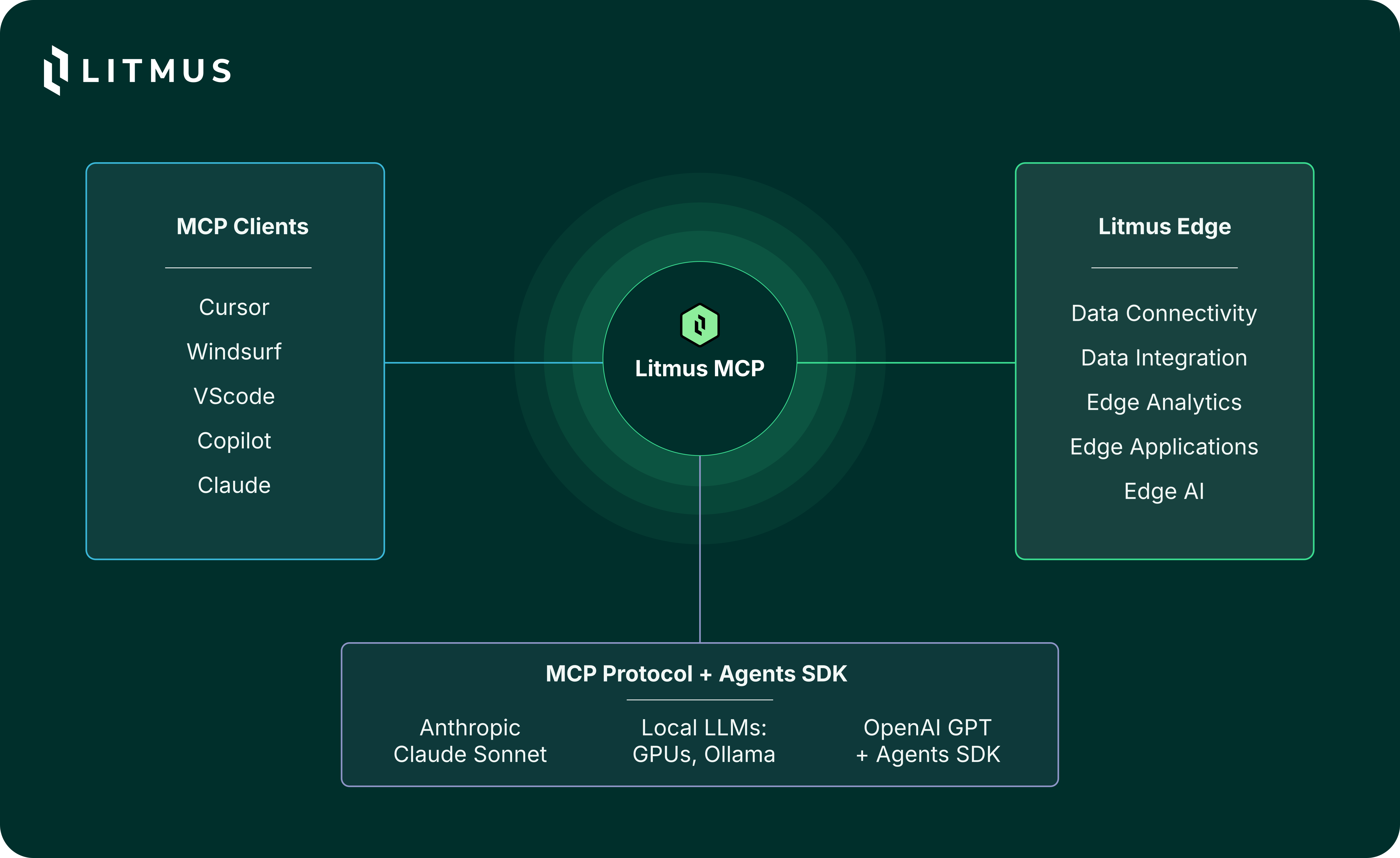
Unlocking Industrial IoT with Litmus MCP Server | Litmus ...

Lumonic just launched an MCP server that plugs audit-ready portfolio data directly into Claude Code. Instead of exporting CSVs, cleaning columns, and praying your pivot tables match, you now ask Claude Code: "What's our current exposure to tech stocks?" and get an answer in seconds.

This isn't another financial API wrapper. Lumonic's server connects to your portfolio management systems and surfaces holdings, performance metrics, risk data, and compliance checks — all formatted for AI consumption. The data is "audit-ready," meaning it passes the scrutiny of external auditors without manual prep.

Setup

Adding it to Claude Code is a one-liner:

claude mcp add lumonic

You'll need API credentials from Lumonic (they're offering a free tier for individual developers). Once configured, Claude Code can query your portfolio data natively through the MCP protocol.

Example prompt after setup:

"Show me all positions with unrealized gains over 20% and check if any violate our concentration limits."

Claude Code calls Lumonic's MCP tools, retrieves the data, and presents the analysis inline.

When To Use It

MCP servers: Basics and use cases | by Joaquin López | Mar, 2025 | Medium

This server shines in three scenarios:

1. Portfolio audits. Instead of pulling reports manually, ask Claude Code to generate compliance summaries. "List all positions exceeding 5% of portfolio value and flag any sector concentration over 25%."

2. Performance reviews. "Compare returns of our top 10 holdings against their benchmarks over the last quarter." Claude Code can fetch the data and present it as a table in your terminal.

3. Risk analysis. "Calculate VaR at 95% confidence for our current portfolio and highlight the top 3 risk contributors." The MCP server returns structured data Claude Code can reason over.

Why This Matters for Claude Code Users

Before MCP servers like Lumonic, financial data workflows required: (1) manual exports, (2) data cleaning scripts, (3) context window pollution with raw numbers. Now Claude Code treats your portfolio as a first-class data source.

The MCP ecosystem is maturing fast. We've covered the GitHub MCP server (stateless MCP support) and the Arm MCP server for bare metal. Lumonic fills a gap for financial developers and analysts who live in Claude Code.

The Bottom Line

If you manage portfolios and use Claude Code, install Lumonic's MCP server today. It turns a multi-hour data prep task into a 30-second conversation. And it's one more example of MCP replacing brittle, custom integrations with a standard protocol.

Install it now:

claude mcp add lumonic

Then ask Claude Code: "What's our current cash position relative to target allocation?"


Source: news.google.com

Source: gentic.news · · author= · citation.json

AI-assisted reporting. Generated by gentic.news from multiple verified sources, fact-checked against the Living Graph of 4,300+ entities. Edited by Ala SMITH.

Following this story?

Get a weekly digest with AI predictions, trends, and analysis — free.

AI Analysis

Claude Code users should immediately install the Lumonic MCP server if they work with portfolio data. The key workflow change: stop exporting CSVs and writing ad-hoc Python scripts to clean financial data. Instead, keep Claude Code in your terminal and query portfolio data directly. This reduces context window pollution because you're not dumping raw spreadsheets into prompts — the MCP server returns structured, relevant data on demand. For teams doing quarterly audits, set up a Claude Code session with the Lumonic MCP server pre-configured in your CLAUDE.md. Example: `mcp_servers: ["lumonic"]` and a prompt template like "Run quarterly compliance check: flag all positions >5% concentration, sector exposures >25%, and any single-stock VaR outliers." This turns a multi-hour manual process into a 30-second command. If you're building internal tools, consider extending the Lumonic MCP server with custom tools for your specific compliance rules. The MCP protocol makes it straightforward to add new capabilities without rebuilding the data pipeline from scratch.
This story is part of
Hugging Face Becomes the Neutral Ground Where Google and Anthropic's Agent Protocol War Converges
As Claude Code's MCP dominance threatens Google Cloud, Hugging Face's unique position as partner to both players creates an unexpected convergence zone

Mentioned in this article

Enjoyed this article?
Share:

AI Toolslive

Five one-click lenses on this article. Cached for 24h.

Pick a tool above to generate an instant lens on this article.

Related Articles

From the lab

The framework underneath this story

Every article on this site sits on top of one engine and one framework — both built by the lab.

More in Products & Launches

View all