The Token Cost of Convenience
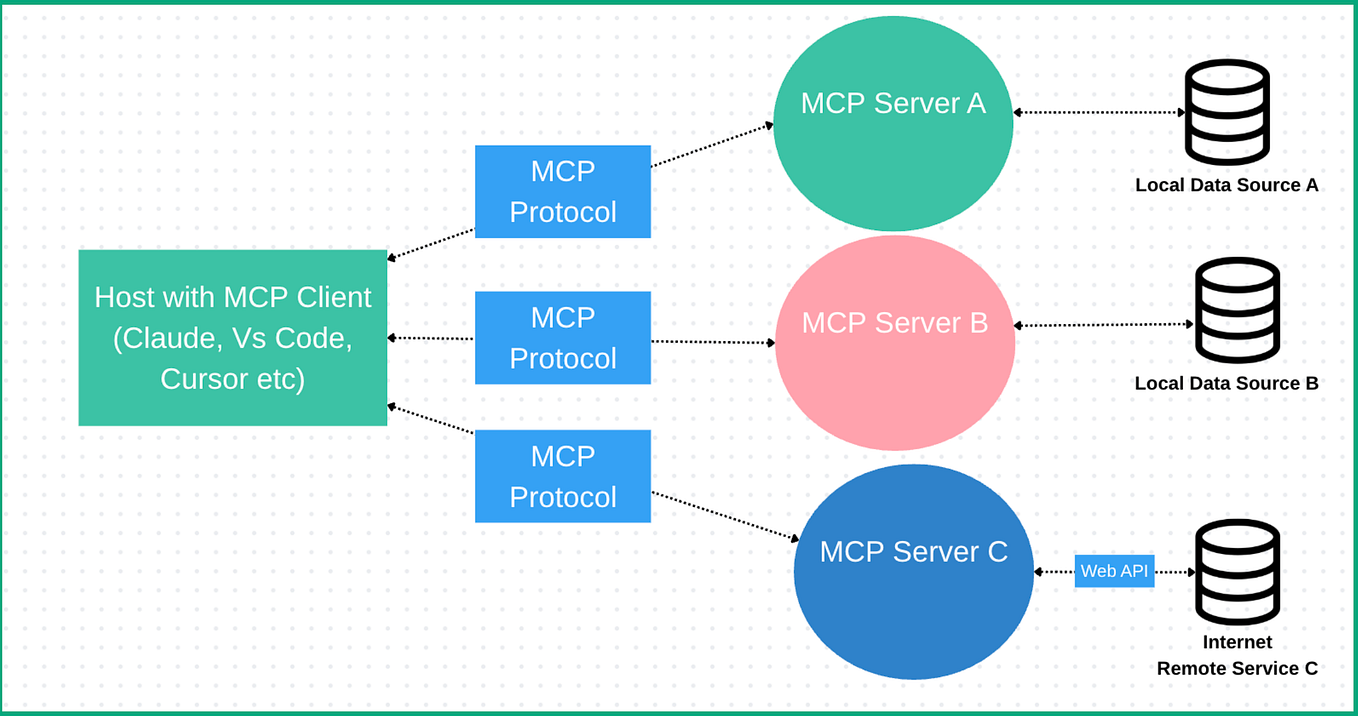
A recent benchmark by developer Alexandros Gounis reveals a significant, often hidden cost of using Model Context Protocol (MCP) servers with Claude Code. When comparing an MCP server that fetches weather data to an equivalent CLI tool, the MCP approach consumed 36.7% more input tokens. This cost scaled linearly as more tools were added to the server. For developers using Claude Code's API at scale or running repetitive tasks, this overhead directly impacts cost and latency.
The core issue is schema bloat. When you call an MCP tool, Claude must read and process its entire input schema—JSON definitions, descriptions, and prompt instructions—as part of your context. These tokens are charged as input. A CLI command, in contrast, is often a simple string execution with results streamed back raw.
When CLI Beats MCP
The benchmark shows CLI usage is faster and more efficient at scale for well-defined, programmatic tasks. This is especially true in environments where Claude Code has direct access to raw code execution. If Claude can run git log --oneline -5 or curl -s https://api.weather.com/current?city=London directly, injecting an MCP server as a middleman adds unnecessary token baggage.
Consider this before reaching for an MCP server:
- Is the task a simple data fetch or system command? Use
claude code --execute "command". - Is the operation repetitive within a session? The 37% token tax compounds with each call.
- Do you have a reliable, existing CLI tool? Wrap it in a shell script for Claude to call.
# Instead of a complex MCP 'git-history' tool, use:
claude code --execute "git log --pretty=format:'%h - %s (%an, %ar)' -10"
When MCP's Structure Is Worth the Cost
The benchmark noted one critical advantage for MCP: it reduced hallucination risk in cases of prompt ambiguity. MCP servers provide structured, typed interfaces. When you ask Claude to "get the forecast," an MCP tool with a clear get_forecast(city: string, days: integer) schema is less likely to be misinterpreted than a free-text CLI instruction.
Install and use MCP servers when:
- The external API or operation is complex with many parameters and error states.
- You need strong type safety and validation before execution.
- Multiple team members need a consistent, documented interface to a resource.
- The tool's logic itself benefits from being written in TypeScript/Python (e.g., data transformation).
Audit Your MCP Setup for Bloatware
The benchmark is a call to audit your own .claude-code/mcp-servers.json. Do you have servers installed that duplicate simple shell commands? A server to list directory contents (ls), read files (cat), or check processes (ps) is likely wasteful. Claude Code's native execution environment handles these perfectly.
Run your own test using the benchmark function from the repository. For a critical MCP tool, time a task and estimate its token usage via Claude Code's session details. Then, prototype a minimal Bash or Python script that does the same thing and compare. The results might convince you to delete a server.
The Hybrid Approach: Smart Wrappers
You don't have to choose exclusively. For complex operations you use often, write a lean CLI wrapper script that encapsulates the logic and error handling, then let Claude execute it. This gives you reproducibility and some structure without the full MCP token overhead. Save the MCP servers for the tools that truly benefit from their formal contract.
#!/bin/bash
# ~/scripts/lean-forecast.sh
# A wrapper that's cheaper than a full MCP server
if [ -z "${1}" ]; then
    echo "ERROR: City required"
    exit 1
fi
curl -s "https://wttr.in/${1}?format=3"
Then in Claude Code: claude code --execute "~/scripts/lean-forecast.sh London".
The goal isn't to abandon MCP—it's a powerful protocol for integration. The goal is to be token-aware, using the most efficient interface for the job and reclaiming that 37% overhead where it doesn't buy you anything.