The New Landscape

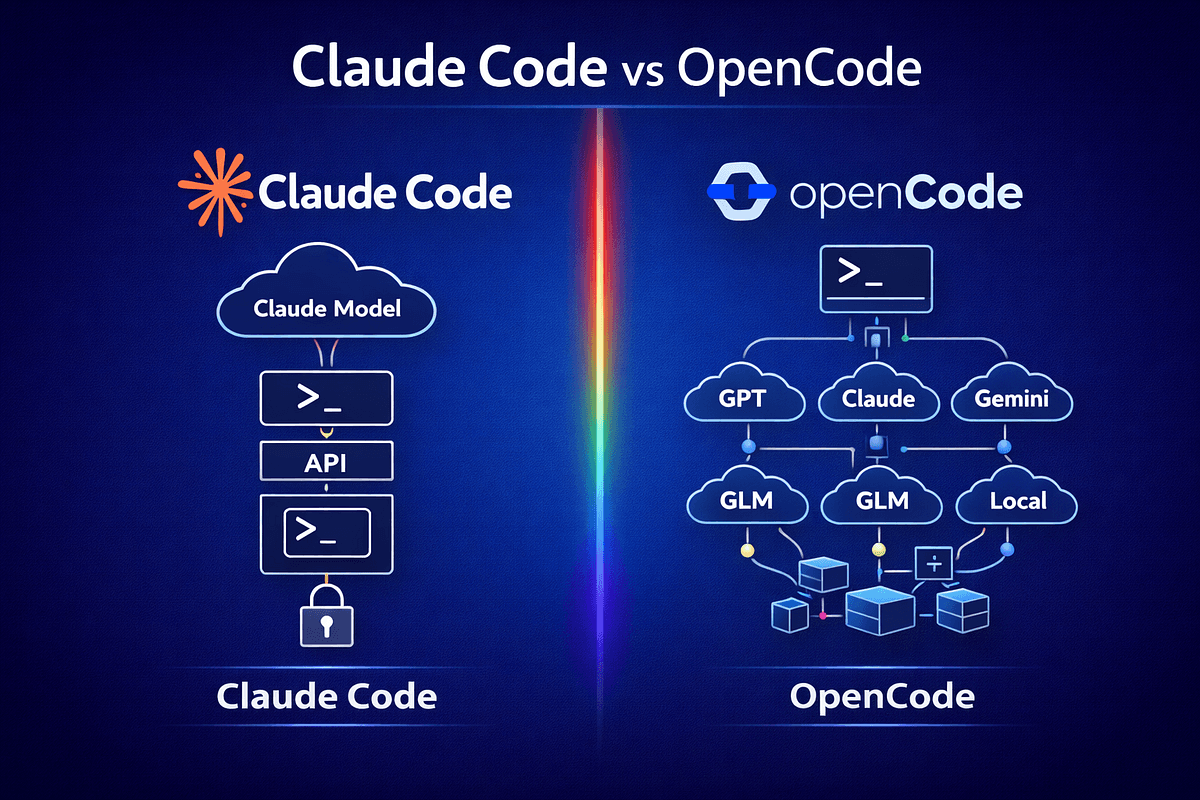
A recent comparison between OpenCode and Claude Code reveals a significant shift: the terminal-first, agentic coding approach that Claude Code pioneered is now being validated by new entrants. OpenCode's emergence as a serious competitor confirms that developers want AI assistants that work directly in their development environment with file system and shell access—exactly what Claude Code has been offering since its launch.
This follows Claude Code's recent demonstration of building a complete browser-based 3D flight simulator over a single weekend, showing the tool's capability for complex, multi-file projects. The trend toward agentic AI tools in development environments has been accelerating, with Claude Code appearing in 74 articles just this week alone.
What This Means for Your Daily Work
While OpenCode brings fresh competition, Claude Code maintains several practical advantages that directly impact your workflow:
1. MCP Ecosystem Maturity
Claude Code's Model Context Protocol (MCP) integration isn't just a feature—it's a complete ecosystem. Recent additions like the Playwright MCP server enable automated test generation from natural language, while custom MCP servers allow bridging SPICE simulations with real hardware for hardware debugging. This ecosystem has been building since Claude Code's launch, giving it a significant head start.
2. Proven Local Execution
Just last week, a developer created a native 200-line API server enabling Claude Code to run 100% locally on Mac, eliminating cloud fees entirely. This local execution capability, combined with Claude Code's existing CLI + VS Code + JetBrains + web multi-platform support, provides flexibility that newer tools are still catching up to.
3. Model Integration Depth
Claude Code's integration with Claude Opus 4.6 (mentioned in 94 prior articles) and Claude 3.5 Sonnet provides access to Anthropic's most capable models specifically tuned for coding tasks. The tool's ability to leverage these models for complex reasoning while maintaining direct file system access creates a powerful combination for real development work.
How to Leverage Claude Code's Strengths Now

Maximize MCP Integration
If you haven't explored Claude Code's MCP servers, now's the time. Start with the Playwright server for test generation:
# Install and configure MCP servers for your workflow
claude code mcp install playwright
claude code mcp install git
Implement the Hybrid Workflow
As discussed in our April 17 article on optimal hybrid workflows, use Claude Code alongside Cursor for different tasks. Claude Code excels at terminal operations, multi-file refactoring, and system-level tasks, while Cursor handles inline editing. This approach lets you use each tool where it's strongest.
Optimize Your CLAUDE.md
Don't rewrite your CLAUDE.md from scratch each time. As covered in "Stop Rewriting CLAUDE.md: The 4-Stage Evolution That Cuts Context Waste 40%," evolve your configuration through stages: start with project basics, add team conventions, include architecture patterns, and finally incorporate performance optimizations.
Leverage Local Execution
If you're concerned about cloud costs or latency, implement the local API server approach demonstrated last week. This is particularly valuable for large codebases where context window usage would otherwise be expensive.
The Competitive Reality
OpenCode's emergence is good news for Claude Code users—it validates the approach and will drive further innovation. However, Claude Code's existing advantages in MCP ecosystem, local execution options, and deep model integration mean you don't need to switch tools to get cutting-edge capabilities.
The competition aligns with broader trends in AI-assisted development, where tools are moving beyond simple code completion to full agentic capabilities. Claude Code's position in this space, backed by Anthropic's continued model development (Claude Opus 4.6 appeared in 15 articles this week), suggests it will remain a leader in terminal-first AI development tools.
What to Watch Next
Monitor how both tools implement new MCP servers—this is where practical workflow advantages will emerge. Also watch for improvements in Claude Code's repo-resolver capabilities (as covered in our April 19 article) which address monorepo and remote URL challenges that affect daily development work.
The key takeaway: Continue investing in your Claude Code workflow. The tool's ecosystem advantages are real, and new competition will only accelerate improvements that benefit all users.