Key Takeaways
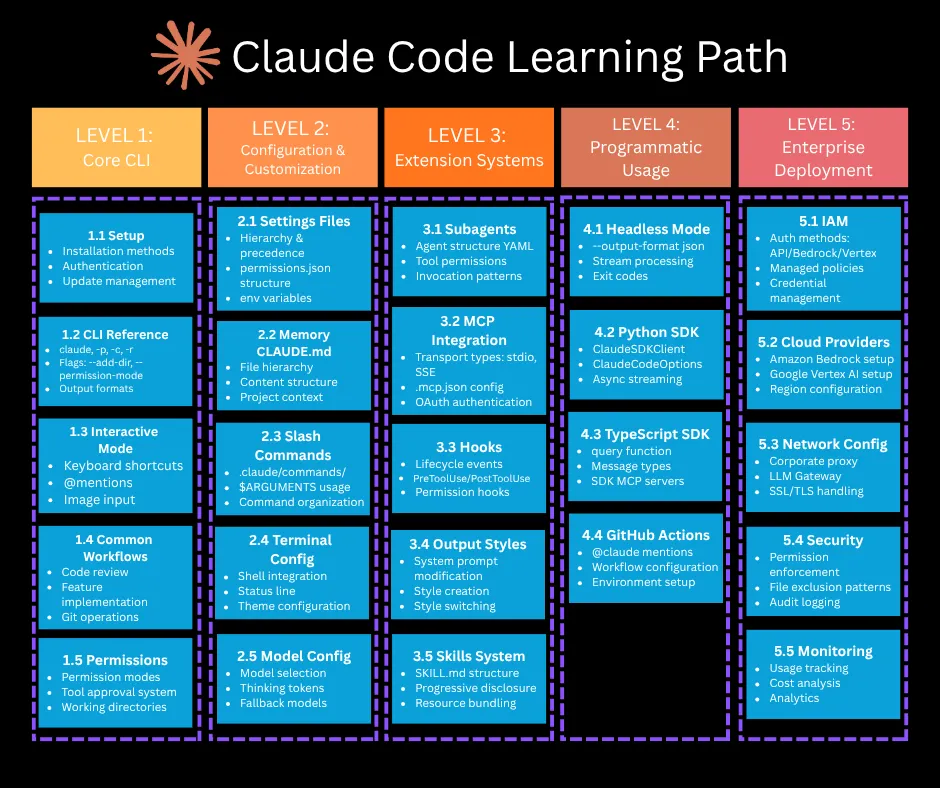
- Claude Code skills are reusable instruction packs in ~/.claude/skills/.
- Write a SKILL.md with a clear description field to auto-trigger conventions, test rules, or domain knowledge across sessions.
What Changed — Skills Are Now Your Most Underused Claude Code Feature
If you're pasting the same instructions into every Claude Code session—"write tests with Vitest, prefer integration tests, no mocks for the database"—you're wasting time. Claude Code skills let you package those instructions into reusable packs that load automatically when relevant.
A skill is a folder with a SKILL.md file. That's it. No configuration. No server to run. Just a markdown file with frontmatter that tells the model when to use it.
What It Means For You — Stop Repeating Yourself
Skills replace the habit of manually reminding Claude Code about your conventions every session. They're context-aware: the model reads the skill's description during planning and only loads it when the task matches. This is different from a system prompt that runs every session. It's closer to a library: the agent has a shelf of skills, and pulls down the one it needs when it needs it.
Three patterns where skills pay off immediately:
- Repeatable workflows across sessions: Test-writing conventions, deployment scripts, code review checklists.
- Project-specific conventions: Naming rules, file structure, error handling patterns.
- Domain expertise: Internal API usage, framework-specific patterns, legacy codebase quirks.
Try It Now — Write Your First Skill in 30 Seconds
Create this file:

~/.claude/skills/test-writer/SKILL.md
With this content:
---
name: test-writer
description: |
  Use this skill when writing or expanding tests. Covers Vitest, Playwright,
  and house-style preferences (integration over unit, no mocks for the
  database, snapshot tests only for stable artifacts).
---

# Test writing conventions

When the user asks for tests, follow these rules.

## Framework selection
- Use Vitest for unit and integration tests.
- Use Playwright for end-to-end tests that need a browser.
- Do not introduce Jest.

## Style
- Prefer integration tests over unit tests when the cost is similar.
- Do not mock the database. Use the test container in `tests/setup.ts`.
- Snapshot tests only for stable serialized output.

## Structure
- One test file per source file. Match the path under `tests/`.
- Use `describe` blocks per public function or component.
- Keep test names assertive: "returns 404 when no user is found".
The frontmatter description is the trigger. The model reads it during session planning. If the task involves tests, it loads the skill. If not, it stays on the shelf.
Skill vs MCP Server vs Subagent — When to Use What
MCP server New tools the agent can call GitHub MCP lets the agent open PRs Skill New instructions the agent applies in context Test-writing skill makes the agent write Vitest tests in your house style Subagent A separate agent the main one delegates to Code-reviewer subagent audits a diff in its own contextA workflow can use all three together. The agent gets a Bash tool, a GitHub tool from MCP, an "open PR with description" skill, and delegates the code review to a code-reviewer subagent. Each layer does what it is good at.
Bundled Skills Worth Knowing
Claude Code ships several bundled skills you can use today:
/batch: Spawns parallel work across multiple git worktrees. Hand it a list of tasks and it runs them in parallel./simplify: Restructures a complex prompt or task into a clearer execution plan./debug: Focuses on troubleshooting loops, reproductions, and narrowing root cause./loop: Runs a prompt on repeat while the session stays open. Good for lightweight monitoring./claude-api: Useful when the task is specifically about Anthropic's API surface.
Tuning Your Skill Descriptions
The description field is the most important part. Patterns that work:
- Lead with the use condition. "Use this skill when [X]." The model parses this as a triage rule.
- Name the artifact or output. "When generating tests" is more useful than "for testing work".
- Be explicit about scope. "Vitest and Playwright tests only" prevents the skill from triggering on unrelated test conversations.
Patterns that fail:
- Vague descriptions. "Helps with development" matches everything. The model triggers it constantly, polluting context.
- Listing capabilities instead of conditions. "Knows how to write tests, run linters, format code" describes what the skill knows, not when to use it.
Project-Scope vs User-Scope Skills
- User scope (
~/.claude/skills/): Your personal preferences and conventions you carry across projects. - Project scope (
.claude/skills/in your repo): Project-specific rules like naming conventions, framework choices, where new files go.
Commit project-scope skills to the repo so every teammate gets them automatically.
Source: dev.to