Medium articles promising "100 tips" for Claude often contain mostly generic AI advice. But buried in these lists are specific techniques that dramatically improve Claude Code performance. Here are the three that actually matter for developers using Claude Code daily.
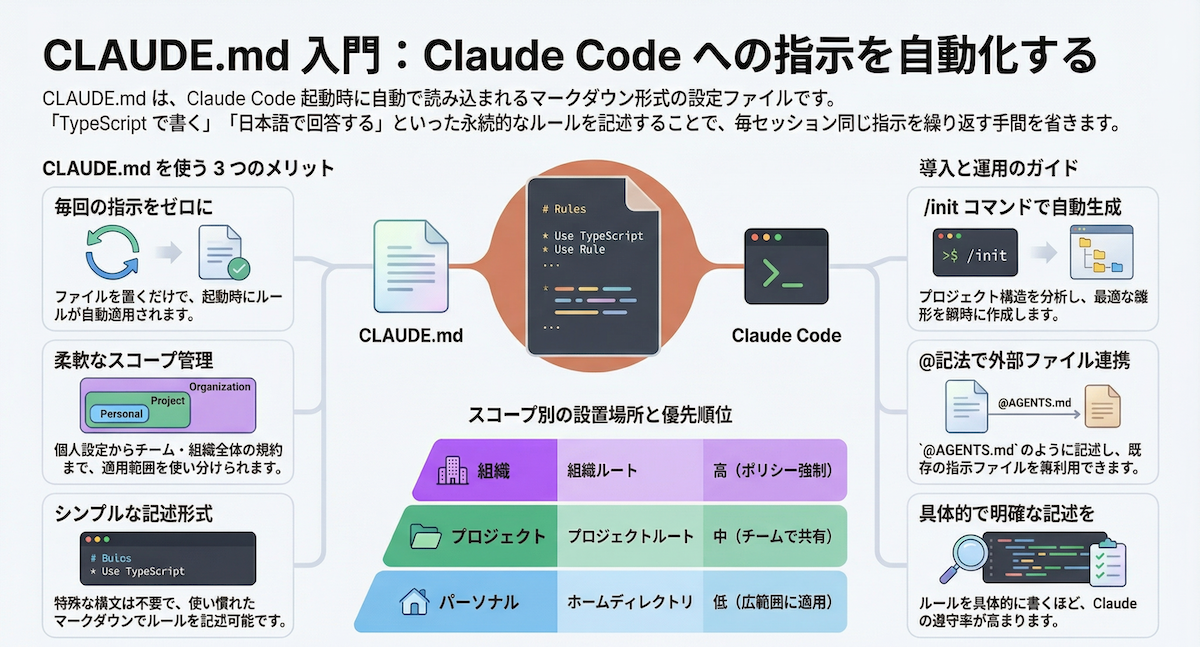
1. Use Structured Prompting with CLAUDE.md
The most valuable tip for Claude Code users isn't about Claude generally—it's about using CLAUDE.md effectively. Generic articles suggest "be specific," but Claude Code developers need structure.
Instead of this in your terminal:
claude code "fix the bug in auth.js"
Create a CLAUDE.md with this structure:
## Current Issue
- Authentication fails when JWT expires
- Error: "Token validation failed" in logs

## Expected Behavior
- Graceful token refresh
- Silent re-authentication

## Files to Examine
- `/src/auth/auth.js`
- `/src/utils/jwt.js`

## Constraints
- Don't modify the API response format
- Maintain backward compatibility
Then run:
claude code --file CLAUDE.md
This follows Claude Code's design philosophy: structured context beats verbose prompts. The CLAUDE.md file gives Claude Code the exact scaffolding it needs to understand your codebase context.
2. Implement Progressive Context Loading
Generic tips say "provide context," but Claude Code users need to manage the 128K token window strategically.
Wrong approach: Dumping your entire codebase at once.
Right approach: Progressive loading with the --context flag:
# First, analyze the specific file
claude code "analyze auth.js for token handling patterns" --file src/auth/auth.js

# Then, expand to related utilities
claude code "now examine jwt.js for refresh logic" --file src/utils/jwt.js

# Finally, propose changes with full context
claude code "synthesize solution using both files" --file src/auth/auth.js --file src/utils/jwt.js
This technique aligns with Claude Code's recent Auto Mode enhancements (released March 26), where task decomposition leads to better autonomous execution. By breaking context into logical chunks, you stay within token limits while maintaining coherence.
3. Chain Simple Commands Instead of Complex Ones
The "100 tips" article mentions task decomposition, but for Claude Code, this translates to command chaining.
Instead of:
claude code "refactor the entire authentication module to use OAuth2, update tests, and document changes"
Chain these commands:
# 1. First, analyze current structure
claude code "map authentication flow and identify OAuth2 integration points"

# 2. Then, implement core changes
claude code "implement OAuth2 provider interface in auth.js"

# 3. Next, update tests
claude code "update authentication tests for OAuth2 flow"

# 4. Finally, document
claude code "generate updated API documentation for OAuth2 endpoints"
This approach leverages Claude Code's strength as an iterative tool rather than a magic wand. Each command builds on the last, and you maintain control at each step.
What Most "Tips" Articles Get Wrong
Most generic Claude advice ignores Claude Code's specific capabilities:
- MCP servers aren't mentioned: Articles about "Claude tips" rarely discuss Model Context Protocol servers, which are essential for extending Claude Code's capabilities
- No CLI-specific guidance: They don't cover
--compact,--auto, or other Claude Code flags - Ignores workflow integration: They treat Claude as a chatbot, not as a coding agent integrated into development workflows
The Real Tip: Use Claude Code as Designed
The most important takeaway from filtering these generic lists: Claude Code isn't just "Claude in a terminal." It's a specialized tool with its own patterns. The techniques that work for general Claude conversations often fail for Claude Code, and vice versa.
Focus on:
- Structured input via
CLAUDE.md - Progressive context management
- Command chaining for complex tasks
These three techniques will improve your Claude Code workflow more than 97 of the "100 tips" in generic articles.