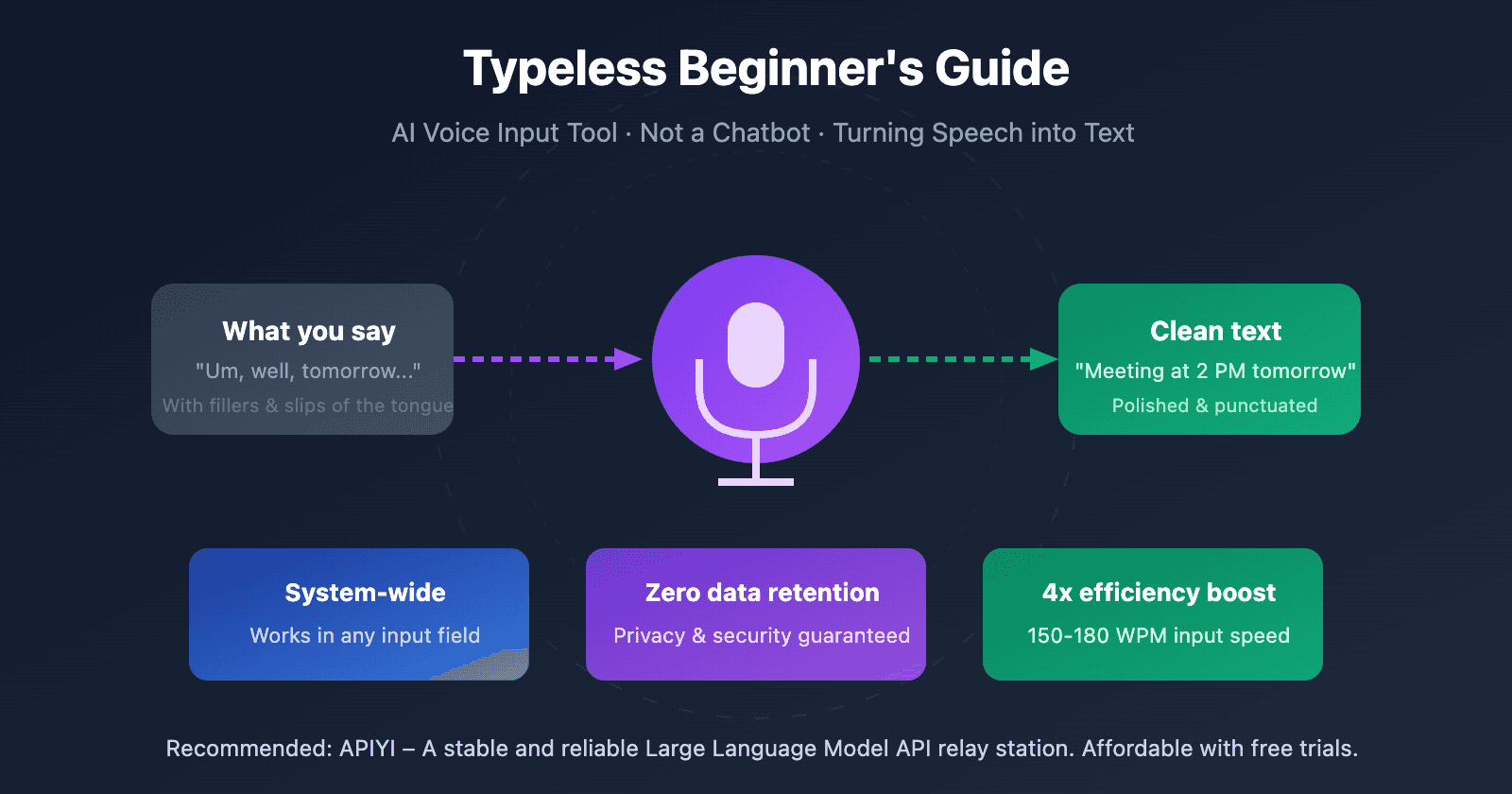
A new AI-powered tool called Typeless has launched, promising to replace keyboard input by turning voice into polished, formatted text. According to an announcement from the company's founder, Hasan Toor (@hasantoxr), the tool works directly within any application and claims to be four times faster than typing.
What Happened
Typeless is a desktop application that acts as a system-wide input method. Users speak into their microphone, and the AI transcribes, formats, and inserts the text directly into the active window—whether it's a code editor, email client, document, or messaging app. The core claim is a 4x productivity increase over traditional typing, positioning it as a tool for developers, writers, and knowledge workers.
Context
The voice-to-text productivity space is competitive, with established players like Otter.ai for meetings, Descript for editing, and native OS tools like Windows Voice Typing and macOS Dictation. Typeless differentiates itself by focusing on system-wide, application-agnostic input and emphasizing polished formatting (like markdown, code blocks, or proper punctuation) rather than raw transcription.
A key technical challenge in this domain is achieving low-latency, high-accuracy transcription with robust formatting inference, all while operating locally or via a fast API to maintain workflow speed. The "4x faster" claim likely stems from comparing words-per-minute speaking rates (~150 WPM) to average typing speeds (~40 WPM).
Limitations & What We Don't Know
The initial announcement lacks critical technical details:
- Accuracy Benchmarks: No published word error rate (WER) or comparative tests against Whisper, Google's Speech-to-Text, or other engines.
- Formatting Intelligence: The depth of its "polished, formatted text" capability is unclear. Can it reliably generate lists, headers, and code snippets from voice commands?
- Pricing & Availability: No information on cost, subscription model, or supported platforms (likely macOS and Windows).
- Privacy Model: It is unspecified whether processing happens locally (on-device) or in the cloud.
For now, Typeless remains a promising claim awaiting real-world validation from technical users.
gentic.news Analysis
The launch of Typeless is a direct entry into the burgeoning AI-native input layer trend. This isn't just another transcription service; it's an attempt to redefine the primary human-computer interface for text creation. The system-wide approach is its most significant feature, addressing a friction point that siloed, app-specific tools create.
This development aligns with a broader industry push toward multimodal, natural interaction. We've covered similar foundational shifts, such as the integration of advanced speech models into operating systems and the rise of agentic workflows that reduce manual input. Typeless is essentially a productized, focused application of the speech recognition and LLM-based formatting pipelines that research labs have been refining. Its success will hinge not on the novelty of its components, but on the seamless integration, latency, and formatting reliability it achieves—the classic product execution challenge.
If Typeless can deliver on its speed claim with high accuracy, its immediate impact will be felt by developers using voice for coding (a la GitHub Copilot Voice) and content creators drafting long-form text. The long-term implication is more profound: it further erodes the keyboard's monopoly on precise text input, moving us toward a future where the choice between voice, keyboard, or even gesture is a matter of context and preference, not capability.
Frequently Asked Questions
How does Typeless work?
Typeless is a desktop application that runs in the background. When activated, it captures your voice via microphone, uses an AI speech-to-text model to transcribe it, and then likely employs a language model to add appropriate formatting (like punctuation, paragraphs, or markdown). Finally, it injects the resulting text into whichever application window is currently active, simulating keystrokes.
Is Typeless better than built-in dictation on Mac or Windows?
Potentially, yes, if its claims hold. Built-in dictation tools (macOS Dictation, Windows Voice Access) provide basic transcription but often lack sophisticated, context-aware formatting. Typeless is specifically marketing "polished, formatted text," suggesting its AI adds structural elements that raw transcription does not. The 4x speed claim is primarily a function of speaking vs. typing, which all dictation tools share.
What are the main use cases for Typeless?
The primary use cases are any scenario where generating formatted text quickly is valuable:
- Software Development: Voicing code comments, documentation, or even pseudocode.
- Content Creation: Drafting blog posts, emails, reports, or social media content.
- Note-Taking & Brainstorming: Capturing and organizing ideas in real-time during meetings or solo thinking sessions.
- Accessibility: Providing an alternative input method for users who find typing difficult or fatiguing.
Is my data private when using Typeless?
The announcement did not specify the privacy model. This is a critical question. If processing happens on-device (local AI models), your voice data never leaves your computer. If it uses cloud APIs, audio snippets are sent to external servers for processing. Potential users should wait for the company to clarify its data policy before using it for sensitive or confidential work.



