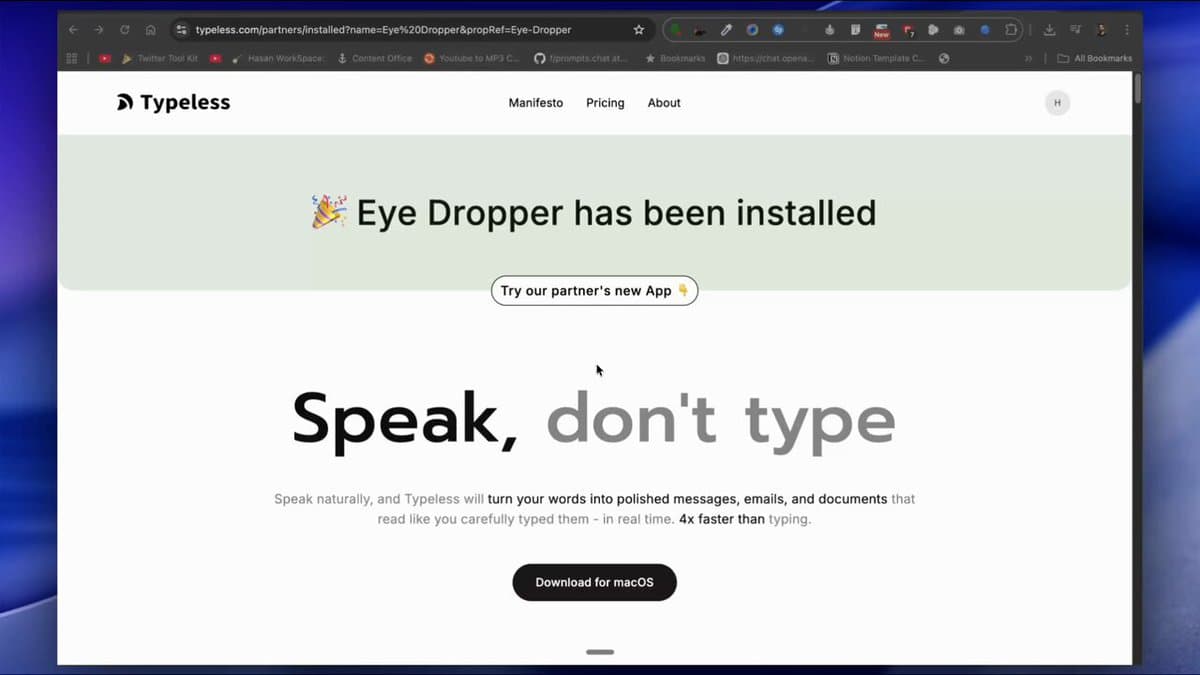
Typeless, a speech-to-text application, has officially launched version 1.0 for Windows, following its availability for Mac users. The core claim from the company, as promoted by founder Hasan Töre, is that the tool enables users to generate "clean, polished text" at speeds of up to 220 words per minute (WPM) through natural speech, which it states is approximately four times faster than average typing speeds.
What's New: Windows Launch and Core Features
The primary development is the expansion from Mac to Windows, bringing the tool to a significantly larger user base. The application's value proposition centers on replacing keyboard input with voice dictation that is enhanced by on-device AI processing.
Key advertised features include:
- Speed: Claims of outputting text at 150-220 WPM, compared to a cited average typing speed of around 55 WPM.
- AI-Powered Polishing: The software allegedly removes filler words (e.g., "um," "like") and repetitions, and auto-formats text instantly.
- Context-Aware Tone Adaptation: It purportedly adjusts the tone of the generated text based on the target application—for example, making it casual for WhatsApp and professional for Gmail.
- Local-First Privacy Model: A major selling point is that all processing happens locally. The company states there is "zero cloud retention," voice data is "never trained on," and user history remains on the device.
- Pricing: The tool is advertised as "100% Free to start."
Technical Details and Claims
Based on the promotional material, Typeless appears to be a desktop application that combines speech recognition with a local large language model (LLM) for post-processing. The workflow involves a user speaking into their microphone, the audio being transcribed, and the resulting text being "cleaned" and formatted by the local AI before being inserted into the active window.
The emphasis on local processing addresses growing privacy concerns around cloud-based AI services. By avoiding sending audio or transcript data to remote servers, Typeless claims to eliminate risks of data retention, misuse for model training, or exposure through breaches.
How It Compares
The speech-to-text market is crowded, but Typeless positions itself differently through its combination of speed, AI polishing, and strict privacy.
Processing Local AI Local/Basic Cloud Cloud AI Post-Processing AI polishing for filler words, tone, format Minimal or none Varies; some offer summarization Claimed Speed 150-220 WPM ~100-150 WPM ~150 WPM (dependent on internet) Data Privacy Local-only, no retention Varies; cloud options may retain data Typically stored and processed in cloud Cost Free to start Free Freemium or subscriptionIts main competition includes built-in OS dictation tools, which are competent but lack advanced AI polishing, and cloud-based professional services, which offer powerful features but require data to leave the device.
What to Watch: Limitations and Verification
The announcement is promotional and lacks independent, verifiable benchmarks. Key questions remain:
- Accuracy: The claimed 220 WPM speed is meaningless without context for accuracy. A high word count with numerous errors is not productive.
- System Requirements: Local AI models require significant CPU/GPU and RAM resources. The performance and hardware requirements for the Windows version are unspecified.
- "Free to Start" Model: The pricing structure beyond the starting tier is not detailed, leaving uncertainty about potential future costs or feature limitations.
- Real-World Workflow Integration: The effectiveness of its tone adaptation across diverse applications and writing styles needs user validation.
gentic.news Analysis
Typeless's launch taps into two potent trends: the desire for frictionless human-computer interaction and the demand for private AI. By focusing on a single, deep task—turning speech into publishable text—it avoids the jack-of-all-trades pitfall of many AI assistants. The local processing claim is its strongest differentiator in a post-ChatGPT world where data sovereignty is a top-tier concern for businesses and privacy-conscious individuals.
Technically, the interesting challenge here is latency. Performing high-quality speech recognition and LLM-based reformatting locally, in real-time, is non-trivial. This suggests they are likely using distilled or highly optimized models, possibly leveraging modern quantization techniques to run efficiently on consumer hardware. If they've solved the latency-quality trade-off, it's a significant engineering achievement.
The go-to-market strategy is classic productivity software: claim a dramatic efficiency boost (4x faster typing). This is a compelling hook, but the real adoption driver will be whether the polished output is truly "ready-to-send" or still requires manual editing. If it reliably eliminates the post-dictation cleanup phase, it could genuinely change writing workflows for content creators, developers writing documentation, and professionals drowning in email.
Frequently Asked Questions
Is Typeless really faster than typing?
Based on the company's claims, yes—if you measure raw words-per-minute output. Typeless states it can deliver 220 WPM via speech, compared to an average typing speed of ~55 WPM. However, this comparison depends entirely on the accuracy and polish of the output. If the text requires significant correction, the effective speed could be much lower.
How does Typeless work without the internet?
Typeless claims to use local AI processing. This means the speech recognition and text-polishing models are stored and run directly on your computer (Windows PC or Mac), not on remote cloud servers. This is why it claims zero data retention and strong privacy.
Is Typeless completely free?
The promotional material states it is "100% Free to start." This phrasing is common in software and often indicates a freemium model. There may be a free tier with limited features, minutes, or applications, with advanced features or unlimited use requiring a paid subscription. The exact details of the pricing model are not provided in the launch announcement.
Can Typeless adapt tone for different applications?
Yes, this is a highlighted feature. The company claims the AI automatically adjusts the formality and style of the generated text based on which app is in focus. For example, it might produce concise, bullet-pointed text for a Slack message and more formal, structured paragraphs for a Google Doc. The effectiveness of this automatic adaptation will be a key factor in its utility.



