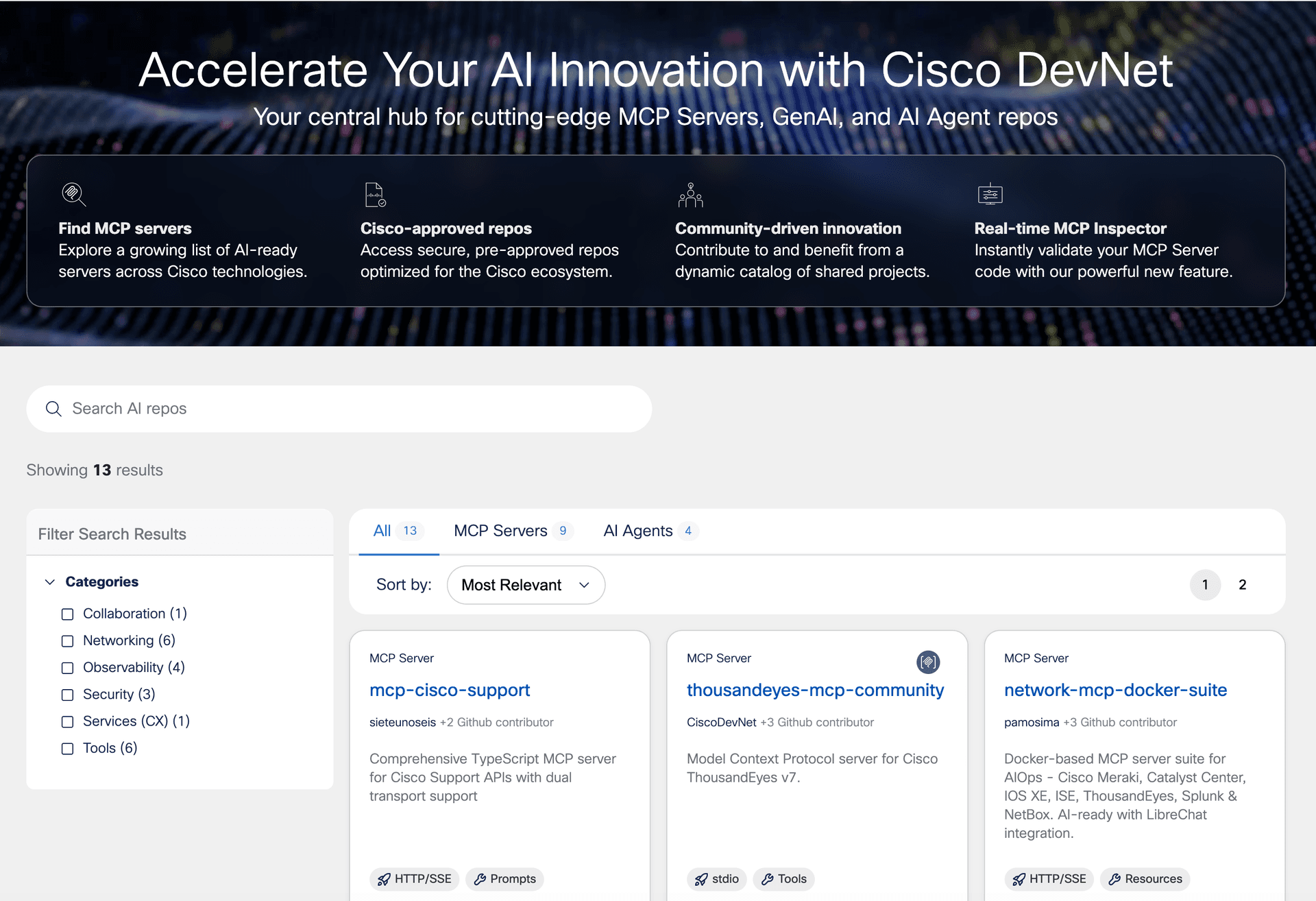
What's New — Faithful summary of the source
Cisco has launched the DevNet Content Search MCP Server, an open-source tool that brings Cisco's official API documentation directly into AI-powered development environments. This Model Context Protocol (MCP) server specifically targets Cisco's DevNet developer portal content, including Meraki API documentation, and makes it available to AI coding assistants like Claude Code within the IDE.
The core problem being solved is context fragmentation: developers working with Cisco APIs previously had to switch between their IDE and browser documentation, forcing AI assistants to rely on outdated training data or generic patterns when generating Cisco-specific code. This server bridges that gap by providing real-time, accurate API context directly where developers write code.
How It Works — Technical details, API changes, workflow impact
The DevNet Content Search MCP Server implements the Model Context Protocol standard, which has become the emerging standard for connecting external data sources to AI coding tools. Here's what developers need to know:
Technical Implementation:
- Built as an MCP server that indexes Cisco's DevNet documentation
- Uses semantic search to understand developer queries beyond keyword matching
- Returns relevant API documentation, code examples, and configuration guides
- Open-source implementation available for customization
Setup Configuration:
For developers using Claude Code or other MCP-compatible tools:
// Example Claude Desktop configuration
{
  "mcpServers": {
    "cisco-devnet": {
      "command": "npx",
      "args": ["@cisco/devnet-mcp-server"],
      "env": {
        "DEVNET_API_KEY": "your-key-here"
      }
    }
  }
}
Workflow Impact:
Instead of:
- Switching to browser
- Searching DevNet docs
- Copying examples
- Returning to IDE
Developers can now:
- Ask their AI assistant: "Show me Meraki dashboard API examples for network creation"
- Get context-aware suggestions with actual Cisco API patterns
- Generate code that follows Cisco's current best practices
Practical Takeaways — What developers should do differently
For Cisco Developers:
- Install the MCP server in your Claude Code or Cursor environment
- Update your prompts - instead of generic API questions, ask specific Cisco-related queries knowing the assistant has access to official docs
- Verify generated code still follows your organization's standards, but expect fewer API syntax errors
For Developers Working with Other Platforms:
- Watch for similar MCP servers - this pattern will likely be adopted by AWS, Google Cloud, and other major platforms
- Consider building your own - if your team has internal APIs with extensive documentation, creating a custom MCP server could dramatically improve AI assistant accuracy
- Standardize on MCP - if you're evaluating AI coding tools, prioritize those with MCP support for future extensibility
Example workflow improvement:
# Before: AI might generate generic REST client code
import requests

# After with DevNet MCP context: AI generates Cisco-specific patterns
from meraki_sdk.meraki_sdk_client import MerakiSdkClient
from meraki_sdk.models.operations.createorganizationnetwork import CreateOrganizationNetwork
Broader Context — How this fits into the AI coding tools landscape
This launch represents a significant shift in how platform vendors approach developer tooling. Rather than expecting developers to leave their IDEs, companies are now bringing documentation directly into the development environment via standardized protocols.
Comparison to Alternatives:
- Cursor's RAG: Similar concept but proprietary to Cursor
- GitHub Copilot Chat: Limited to GitHub's documentation universe
- Custom embeddings: Previously required manual setup and maintenance
The MCP Ecosystem Advantage:
The Model Context Protocol, introduced by Anthropic in late 2024, is becoming the de facto standard for connecting AI assistants to external data. Cisco's adoption signals that:
- MCP has enterprise traction beyond early adopters
- Documentation integration is a primary use case
- We'll see rapid growth in specialized MCP servers for different domains
Limitations to Consider:
- Currently focused on Cisco documentation only
- Requires MCP-compatible IDE (Claude Code, some Cursor versions)
- Semantic search quality depends on Cisco's documentation structure
- No real-time API status or rate limit information
Future Implications:
Expect to see:
- More platform-specific MCP servers (AWS, Azure, Google Cloud)
- IDE plugins that aggregate multiple MCP servers
- Local MCP servers for internal company documentation
- Potential standardization battles as other protocols emerge
For senior engineers, the key insight is that AI coding assistants are moving from "general intelligence" to "context-aware specialists." The value isn't in the AI's training data, but in how effectively it can access and utilize your specific technical context.