What Changed — The Playwright MCP Integration
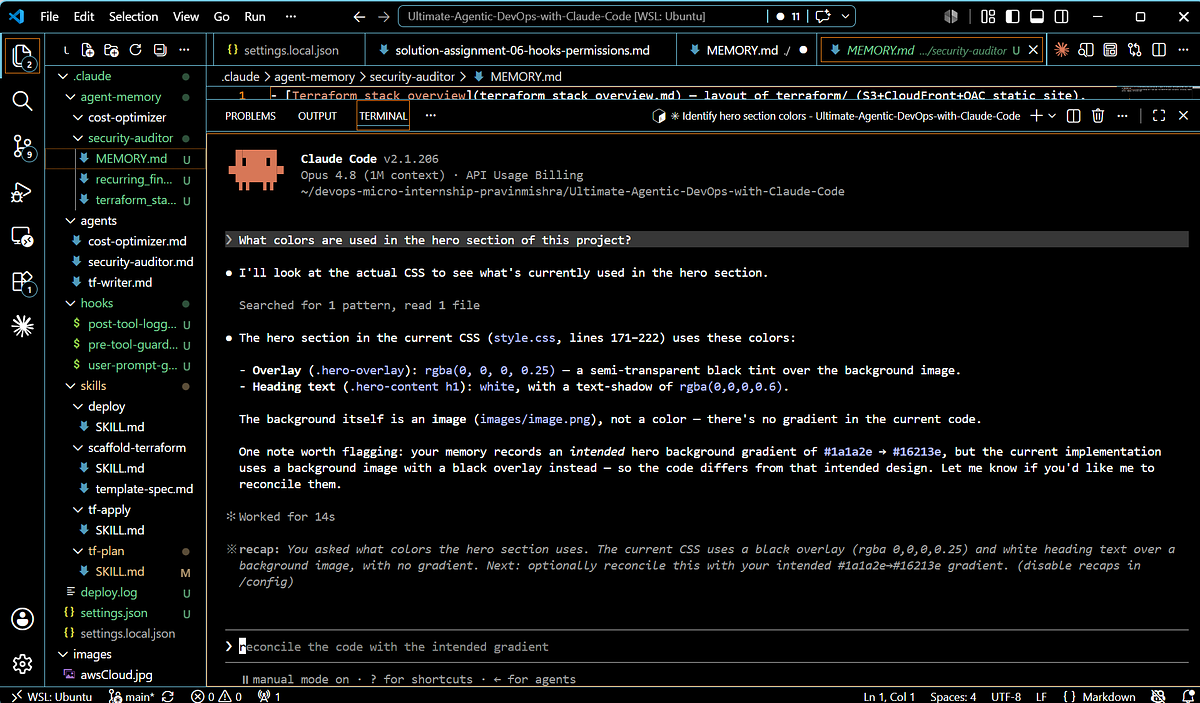
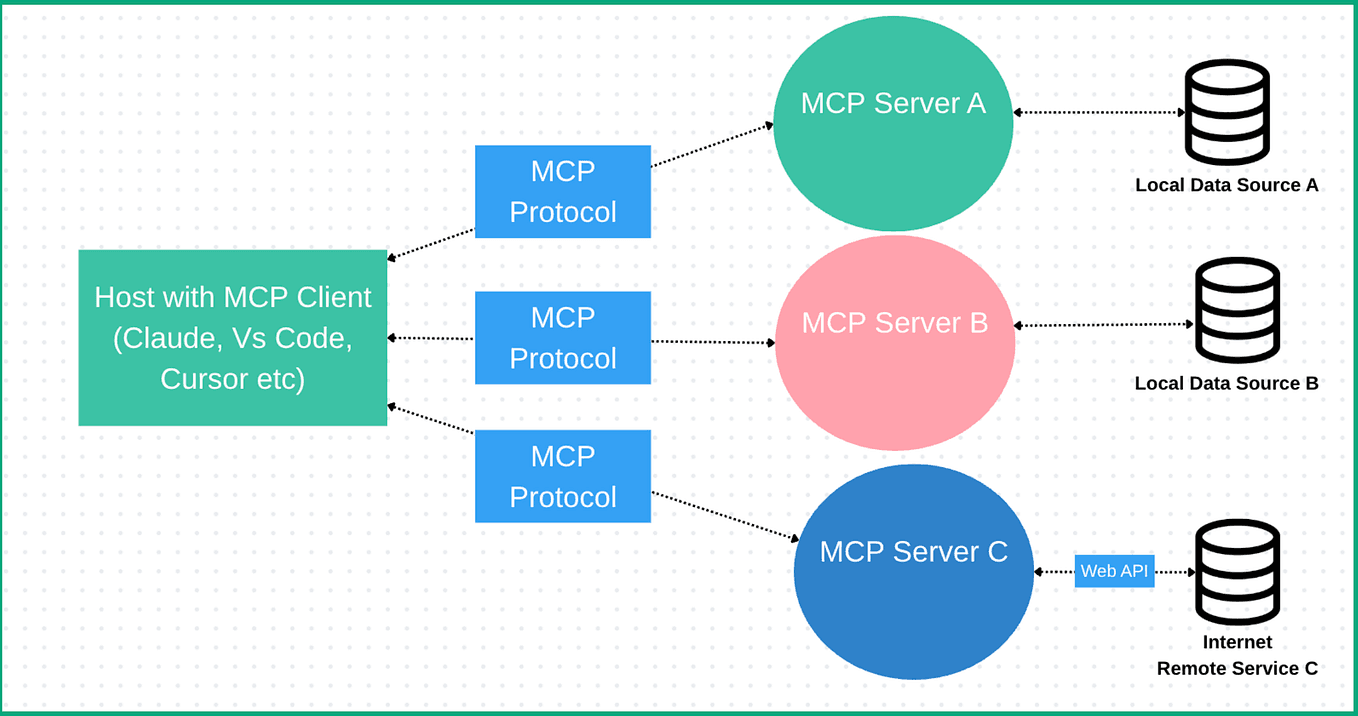
As of April 18, 2026, Claude Code now integrates with Playwright through a dedicated Model Context Protocol (MCP) server. This isn't just another plugin—it's a direct bridge between Claude's reasoning capabilities and browser automation. The integration enables Claude Code to generate, execute, and debug Playwright scripts based on natural language descriptions of test scenarios.
This follows Claude Code's broader trend of MCP server adoption, where specialized tools connect directly to Claude's reasoning engine. The Playwright MCP server specifically gives Claude Code direct access to browser automation capabilities, creating a closed loop: you describe what you want to test, Claude writes the Playwright code, runs it, and reports results—all within the same terminal session.
What It Means For Your Workflow
For developers and test engineers, this eliminates the traditional friction of web automation:
- No more manual locator writing: Describe the element you want to interact with ("the login button with the blue background") and Claude generates the appropriate Playwright selector.
- Context-aware test generation: Claude understands your application's structure if you provide relevant files, creating tests that match your actual UI.
- Direct execution and debugging: Run tests immediately and get intelligent debugging suggestions when tests fail.
- Multi-browser support: Generate tests that work across Chromium, Firefox, and WebKit with a single prompt.
How To Set It Up Now
First, install the Playwright MCP server:
npm install -g @modelcontextprotocol/server-playwright
Then configure Claude Code to use it. Add to your Claude Code configuration file (~/.config/claude-code/config.json or equivalent):
{
  "mcpServers": {
    "playwright": {
      "command": "npx",
      "args": ["@modelcontextprotocol/server-playwright"]
    }
  }
}
Restart Claude Code, and you're ready. The server will be automatically detected and available.
Example Workflow: From Prompt to Passing Test

Start a Claude Code session in your project directory:
claude code --project ./my-web-app
Then prompt naturally:
"Write a test that logs into our application using test@example.com and password 'test123', then verifies the dashboard loads."
Claude will:
- Analyze your project structure for login page elements
- Generate a complete Playwright test file
- Offer to run it immediately
- If it fails, provide specific debugging suggestions based on the error
You can also ask for more complex scenarios:
"Create a test that adds three items to the cart, applies discount code 'SAVE10', and verifies the total updates correctly."

"Generate accessibility tests for our main navigation using axe-core with Playwright."

"Write performance tests that measure page load times for our five most visited pages."
Advanced: Combining with Other MCP Servers
The real power emerges when you combine Playwright with other MCP servers. For instance, use the GitHub MCP server to automatically create issues when tests fail, or combine with monitoring tools to schedule regular test runs.
This integration represents a shift from "writing automation" to "describing what needs testing." The cognitive load moves from syntax and framework details to test design and coverage strategy.
Limitations and Best Practices
- Provide context: Claude works best when it can see your actual page structure. Keep relevant HTML/CSS files in your project.
- Start simple: Begin with basic user flows before attempting complex multi-page scenarios.
- Review generated code: While Claude's Playwright code is generally solid, always review for security and maintainability.
- Use page objects: Ask Claude to create page object models for reusable components.
The Playwright MCP server doesn't replace learning Playwright entirely, but it dramatically reduces the boilerplate and debugging time. You still need to understand test design principles and what constitutes good coverage—Claude just handles the implementation.
gentic.news Analysis
This Playwright integration continues Claude Code's aggressive expansion into specialized domains via MCP servers. Following recent integrations for hardware debugging and SPICE simulations, browser automation represents another high-value use case where Claude's reasoning capabilities intersect with developer tooling.
The timing aligns with increased Claude Code adoption—72 articles this week alone mention the tool, indicating growing developer interest. As Claude Opus 4.6 potentially nears retirement (based on Anthropic's typical cadence), these MCP integrations ensure Claude Code remains valuable regardless of underlying model changes.
This approach differs significantly from competitors like Cursor, which focus more on inline code completion. Claude Code's MCP strategy creates a modular ecosystem where specialized capabilities can be added without bloating the core tool. For web automation specifically, this positions Claude Code as a compelling alternative to traditional test automation frameworks that require extensive manual coding.
Looking forward, expect more domain-specific MCP servers for database testing, API automation, and mobile testing—each turning Claude Code into a specialized assistant for different aspects of the development lifecycle.