Key Takeaways
- AWS Bedrock Guardrails blocks insecure code patterns.
- Configure denied topics and content filters to prevent hardcoded keys, SQL injection, and prompt injection from reaching your repo.
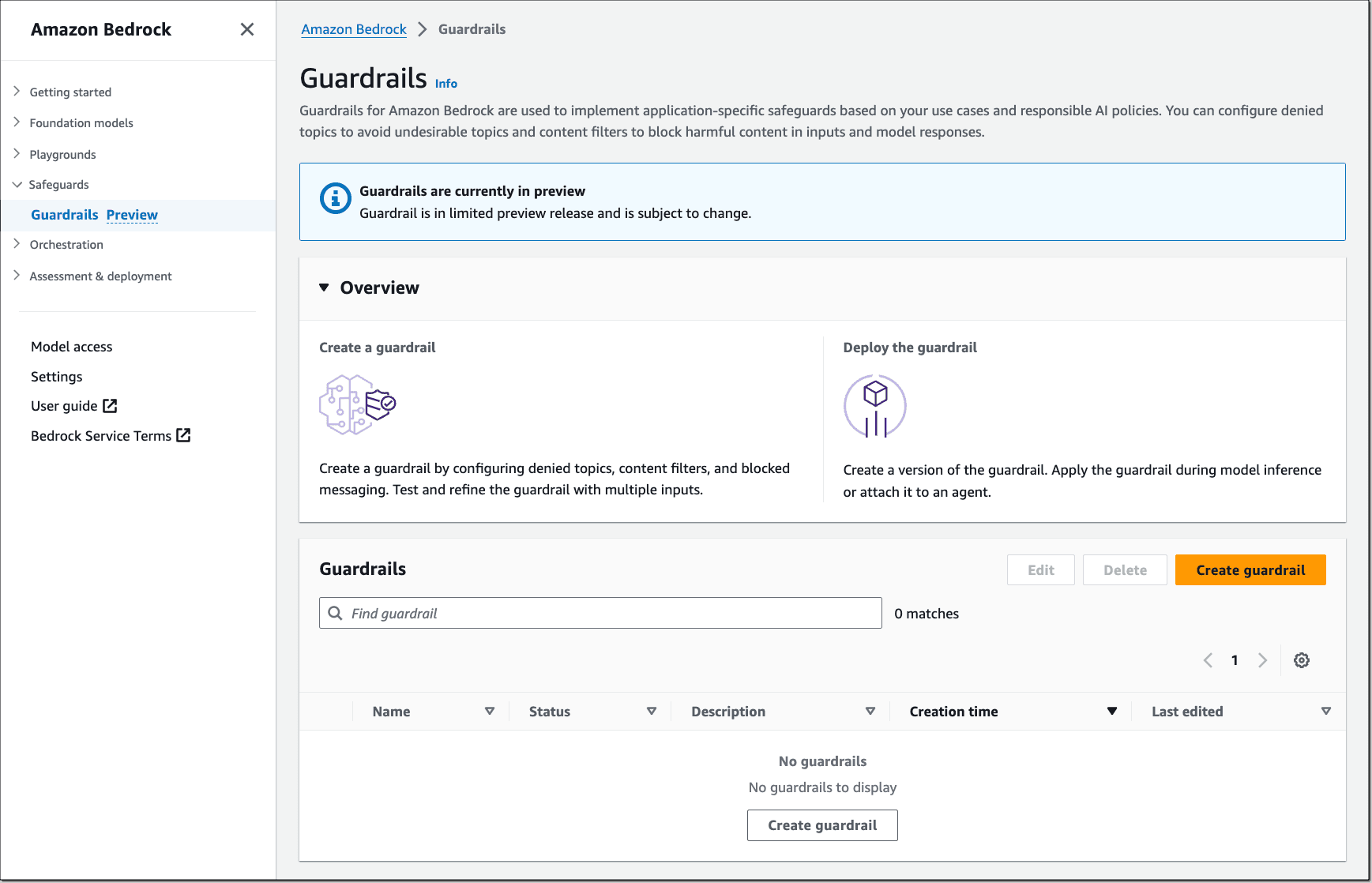
What Changed — AWS Bedrock Guardrails for Code Generation

AWS published best practices for applying Amazon Bedrock Guardrails to code generation workflows. While Bedrock is a managed AI service (competing with Google Cloud Vertex AI), the core technique—using guardrails to filter model output before it reaches your codebase—is directly applicable to any LLM-powered coding tool, including Claude Code.
Guardrails are content filters and topic denials that run on model output. For code generation, this means you can block insecure patterns before they're written to files.
What It Means For You — Concrete Impact on Claude Code Usage
If you use Claude Code with AWS Bedrock as a model provider (or any model that supports guardrails), you can now:
- Block code containing hardcoded API keys, passwords, or tokens
- Prevent SQL injection patterns from being generated
- Filter out code with high toxicity or prompt injection risk
- Deny entire topics like "generating malicious code" or "security vulnerabilities"
This is particularly valuable for teams that want to use AI code generation in production without manual review of every line.
Try It Now — How to Configure Guardrails for Code Generation
Step 1: Create a Guardrail in AWS Bedrock
aws bedrock create-guardrail \
  --name "code-security-guardrail" \
  --description "Blocks insecure code patterns" \
  --topic-policy-config '{
    "topicsConfig": [
      {
        "name": "HardcodedCredentials",
        "definition": "Code that contains hardcoded API keys, passwords, tokens, or other secrets",
        "type": "DENY"
      },
      {
        "name": "SQLInjection",
        "definition": "Code patterns vulnerable to SQL injection attacks",
        "type": "DENY"
      },
      {
        "name": "PromptInjection",
        "description": "Attempts to inject prompts that override system instructions",
        "type": "DENY"
      }
    ]
  }' \
  --content-policy-config '{
    "filtersConfig": [
      {
        "type": "SEXUAL",
        "threshold": "HIGH"
      },
      {
        "type": "HATE",
        "threshold": "HIGH"
      },
      {
        "type": "INSULTS",
        "threshold": "HIGH"
      }
    ]
  }' \
  --sensitive-information-policy-config '{
    "piiEntitiesConfig": [
      {
        "type": "AWS_ACCESS_KEY",
        "action": "BLOCK"
      },
      {
        "type": "AWS_SECRET_KEY",
        "action": "BLOCK"
      }
    ]
  }'
Step 2: Apply the Guardrail When Calling Claude Code via Bedrock
If you're using Claude Code through AWS Bedrock (not the Anthropic API directly), you can pass the guardrail identifier:
aws bedrock-runtime invoke-model \
  --model-id anthropic.claude-sonnet-4-20250514 \
  --body '{"messages":[{"role":"user","content":"Write a function to connect to a database"}],"guardrailIdentifier":"code-security-guardrail","guardrailVersion":"1"}' \
  output.json
Step 3: For Direct Claude Code Users — Manual Equivalent
If you use Claude Code directly (not through Bedrock), you can simulate guardrails by adding a CLAUDE.md instruction:
# CLAUDE.md
## Security Rules

- NEVER generate code containing hardcoded API keys, passwords, tokens, or secrets
- NEVER produce SQL queries vulnerable to injection (always use parameterized queries)
- ALWAYS flag any code that looks like it could be a security vulnerability
- If you detect insecure patterns, refuse to generate the code and explain why
This isn't as robust as Bedrock Guardrails (which run as a separate service layer), but it's a practical approach for teams not using AWS.
When To Use Guardrails vs. CLAUDE.md
Use AWS Bedrock Guardrails when:
- You're already using Bedrock as your model provider
- You need guaranteed enforcement (not just instruction-following)
- You're subject to compliance requirements (SOC 2, HIPAA, etc.)
Use CLAUDE.md instructions when:
- You're using Claude Code directly via Anthropic's API
- You want a lightweight, easy-to-configure solution
- You trust the model to follow instructions most of the time
The Bottom Line
AWS Bedrock Guardrails give you a safety net for AI-generated code. Whether you use the full AWS solution or a CLAUDE.md equivalent, the principle is the same: filter insecure patterns before they reach your codebase, not after.
Source: news.google.com