The Technique — Building a Game Bot to Test Reasoning
A developer recently documented a fascinating project: using Claude Code to build an AI agent that could play the classic MMORPG, Ultima Online (UO). The goal wasn't just nostalgia; it was a stress test for autonomous reasoning in a complex, real-time environment. The game's sandbox world—with its economy, guilds, crafting, and open-ended player interactions—presents a perfect simulation of messy, stateful systems that are hard for AI to navigate.
The developer's initial architecture had Claude directly controlling the game client via simulated inputs. This proved challenging because UO is a real-time system. The latency between Claude's reasoning, the action execution, and the updated game state created a fragile loop where the agent's context was constantly stale.
Why It Works — A Better Architecture with MCP
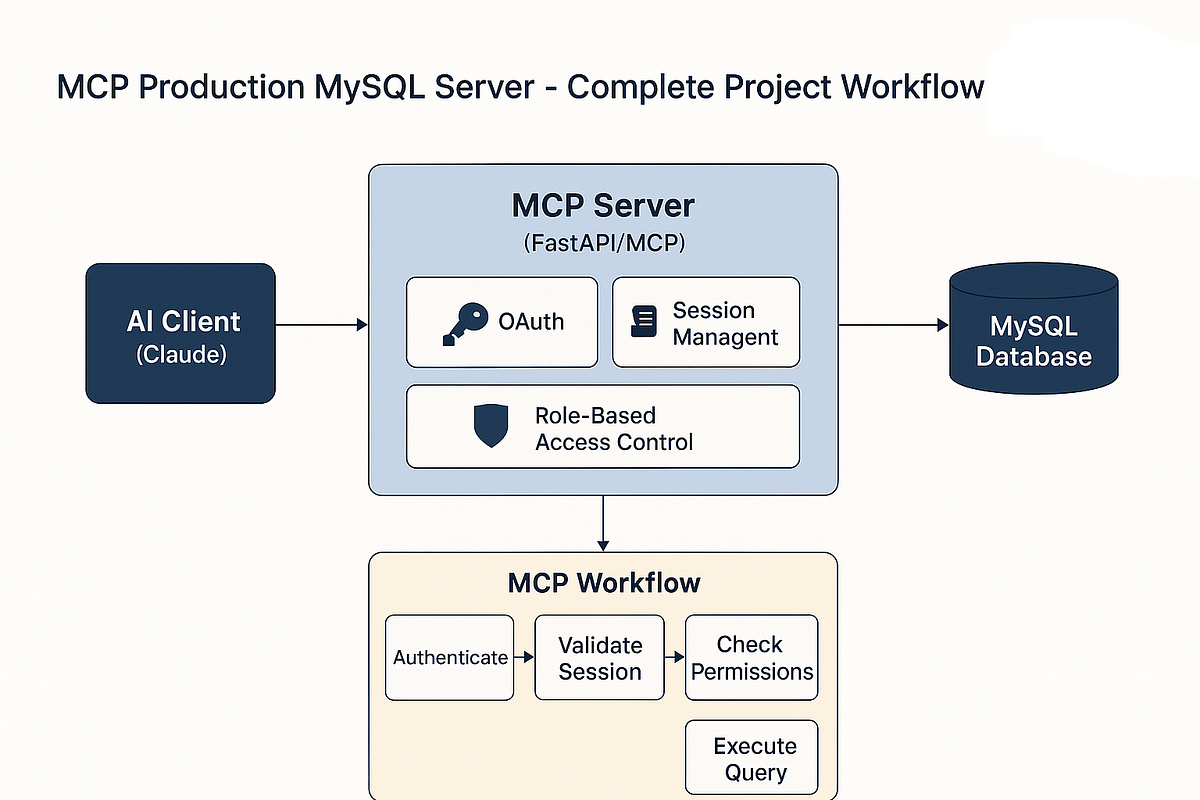
The breakthrough came from a better architecture, central to which was the Model Context Protocol (MCP). Instead of having Claude reason and act in one step, the system was split into distinct layers:
- A Perception Layer: A separate service, connected via MCP, continuously monitors the game state (player health, location, nearby objects). This provides Claude with a real-time, structured data feed.
- A Planning Layer: Claude Code, armed with this live data, reasons about high-level goals. (e.g., "My health is low, I should find a healer or recall to town.").
- An Action Layer: Claude outputs structured commands (like
"cast_spell": "Recall") to another MCP server that translates them into precise, low-level game inputs.
This decouples the slow, thoughtful reasoning from the fast, real-time requirements of the game client. Claude Code operates on a clean API of game state and high-level intents, not pixel colors or keystroke timing.
How To Apply It — Testing Your Own Complex Systems
You don't need to build a game bot to use this pattern. It's a blueprint for using Claude Code to interact with any complex, stateful system. Think of it as a general-purpose testing and automation framework.

Here’s how you can adapt the approach:
1. Model Your System with MCP Servers:
For your application (a web service, a database, a local CLI tool), write a simple MCP server that exposes two key functions:
get_state(): Returns a structured snapshot (JSON) of the current system state.execute_command(command): Takes a structured command from Claude and performs the operation.
2. Prompt Claude Code for Autonomous Testing:
With your MCP server configured in Claude Code, you can now delegate complex, multi-step testing scenarios.
# Example prompt to start an autonomous test session
claude code --task "You are a QA agent for our API. Use the attached MCP server to:
1. Get the current health status of all service endpoints.
2. If the /users endpoint is down, check the database connection via the MCP command.
3. If the DB is up, restart the /users service.
4. Perform a smoke test on the restarted endpoint.
5. Report your findings and any failures."
3. Use CLAUDE.md for Reusable Agent Profiles:
Create a CLAUDE.md file in your project to define the agent's personality and goals for system interaction, making these tests repeatable.
<!-- CLAUDE.md -->
# System Reliability Agent

## Primary Goal
Autonomously monitor and maintain the health of the local development environment.

## Available Tools (via MCP)
- `env_check`: Get status of Docker containers, API ports, and database.
- `service_control`: Restart, stop, or view logs for any service.
- `run_test_suite`: Execute the integration test suite.

## Protocol
1. Always assess current state via `env_check` before acting.
2. Prefer restarting services over complex debugging during active development.
3. After any corrective action, run the relevant smoke tests.
4. Provide a concise summary of actions taken and system status.
This project demonstrates that Claude Code's power isn't just in writing functions—it's in orchestrating them. By using MCP to give Claude clean interfaces to messy systems, you turn it into an autonomous engineer that can test, monitor, and interact with the real world of your applications.