What It Does — Live Security Scanning in Your Terminal
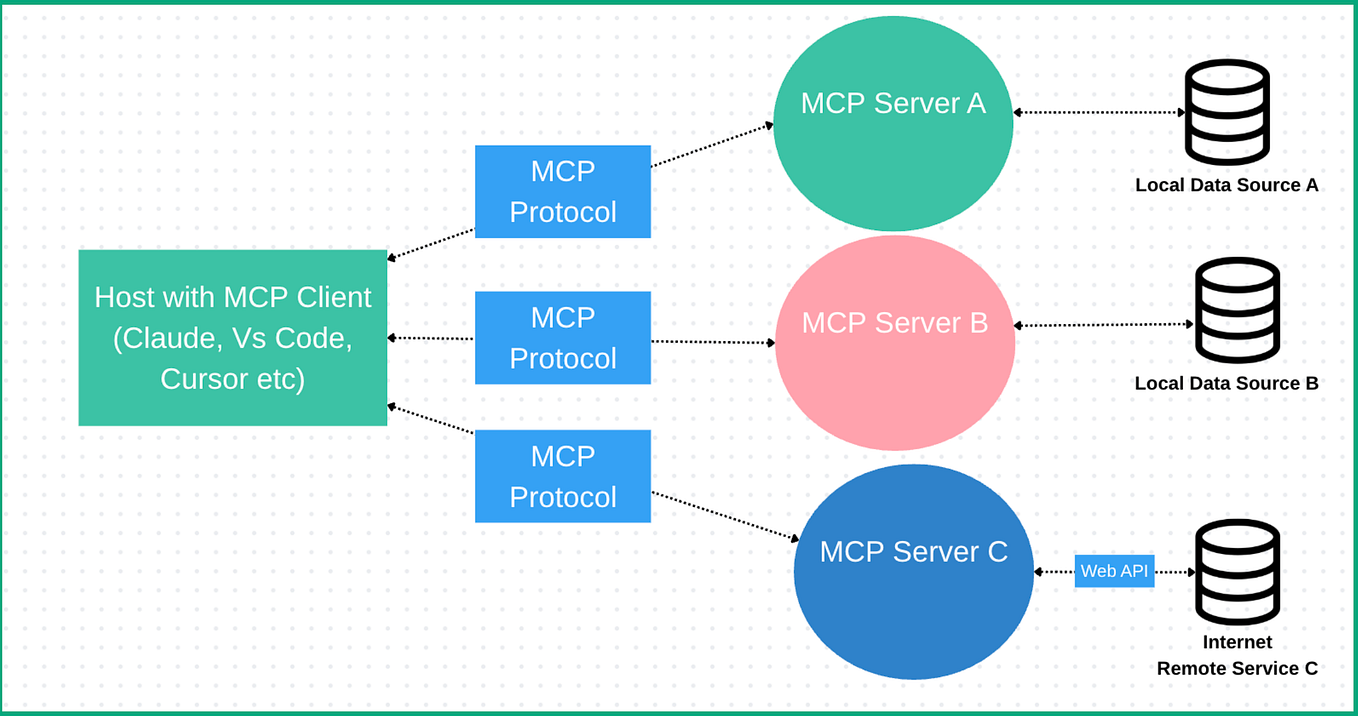
Vulnetix VDB is a Model Context Protocol (MCP) server that brings live vulnerability database (VDB) scanning directly into your Claude Code session. It monitors your project's dependencies—like those in package.json, requirements.txt, or Cargo.toml—and provides real-time alerts about known security vulnerabilities as you work. This moves security left in the development cycle, from a post-commit CI check to an immediate, in-editor warning.
Why It Matters For Claude Code Users
Claude Code's architecture, built on MCP, is designed for exactly this kind of deep integration. Tools that connect via MCP gain direct access to the agent's context and workspace. For security, this is a game-changer. Instead of running a separate scanner in another terminal or waiting for a GitHub Action to fail, you get instant feedback. If Claude Code suggests adding a new npm package, Vulnetix can immediately check its version against the NVD (National Vulnerability Database) and warn you if it's associated with a CVE.
This follows a broader trend of security tools integrating directly into the AI coding workflow. Just last week, we covered Keygraph's Shannon AI Pentester, which achieved a 96.15% success rate on the XBOW benchmark. Vulnetix VDB represents the complementary, preventative side of that same coin: stopping vulnerable code from being written in the first place.
How To Set It Up
Installation is straightforward via the MCP ecosystem. First, ensure you have the MCP CLI installed. Then, add the Vulnetix VDB server to your Claude Code configuration file (typically claude_code_config.json or via your IDE's settings).
{
  "mcpServers": {
    "vulnetix-vdb": {
      "command": "npx",
      "args": ["-y", "@vulnetix/vdb-mcp-server"],
      "env": {
        "VULNETIX_API_KEY": "your_api_key_here"
      }
    }
  }
}
You'll need to sign up for a Vulnetix API key. Once configured, restart your Claude Code session. The server will automatically index your project's dependency files on load and will monitor for changes.
When To Use It
Use Vulnetix VDB when:
- Starting a new project or cloning a repo: Get an immediate security audit of the existing dependency tree.
- Adding or updating packages: Before you commit a change to
package.json, see if the new version introduces a known risk. - Performing code reviews: Use Claude Code's multi-file analysis alongside Vulnetix's findings to assess the security impact of a PR.
This tool is particularly valuable given Claude Code's expanding capabilities. The recent launch of the Computer Use feature with app-level permissioning inherently expands the attack surface an agent can interact with. Proactively securing dependencies is a critical countermeasure.
Limitations and Considerations
The source indicates the tool is in a Show HN phase, suggesting it's an early-stage project. The JavaScript error message in the excerpt is a common placeholder for unconfigured API routes in development. As with any new MCP server, test it in a non-critical project first. It also represents another external service dependency; your scanning is only as good as Vulnetix's own database updates and API availability.
For teams with strict compliance needs, this should augment—not replace—your existing software composition analysis (SCA) pipeline in CI/CD. However, for catching issues at the moment of creation, it provides a powerful, immediate feedback loop that aligns perfectly with Claude Code's agentic, interactive workflow.