Key Takeaways
- Gemini's
background: trueflag in the Interactions API lets you run agents asynchronously. - Pair it with remote MCP servers to connect private data without custom proxies.
What Changed — Gemini Managed Agents Go Asynchronous and MCP-Ready (July 2026)
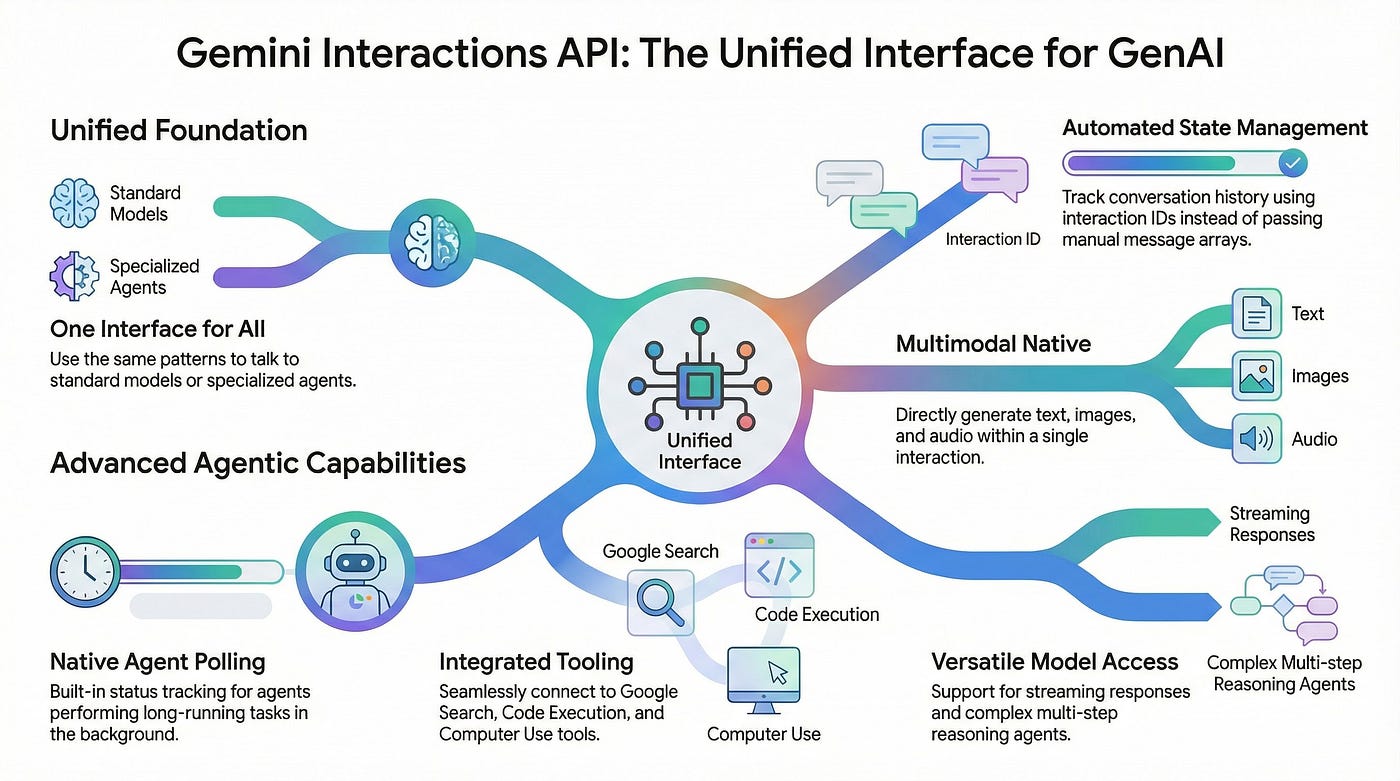
On July 7, 2026, Google DeepMind shipped four production-oriented features for Managed Agents in the Gemini API. The headline: long-running background execution via background: true, remote MCP server integration, custom function calling alongside sandbox tools, and network credential refresh. Managed agents live inside the Gemini Interactions API — a single endpoint handling reasoning, code execution, package installation, file management, and web access in an isolated cloud sandbox.
Before this, running a multi-minute agent task meant keeping an HTTP connection open — fragile against load balancer timeouts, mobile network drops, or redeploys. Now you fire and forget.
What It Means For You — Concrete Impact on Your Agentic Workflows
1. Long-Running Background Execution (background: true)
This is the killer feature. Pass background: true in your interaction create call, and the API returns an interaction ID immediately. Your client polls or reconnects later. No more blocking request threads for minutes.
const started = await ai.interactions.create({
  agent: myAgentId,
  input: "Refactor the repo's test suite and open a summary.",
  background: true,          // returns immediately with an interaction ID
});

// Later, from any client, poll by ID
const status = await ai.interactions.get({ interaction: started.id });
// status.state moves through running -> requires_action / completed
Why it matters for Claude Code users: If you're building agents that run long tasks — code refactoring, data analysis, multi-step research — this pattern makes them production-grade. You can trigger a task from a web app, store the ID, and show progress without tying up a server thread.
2. Remote MCP Server Integration
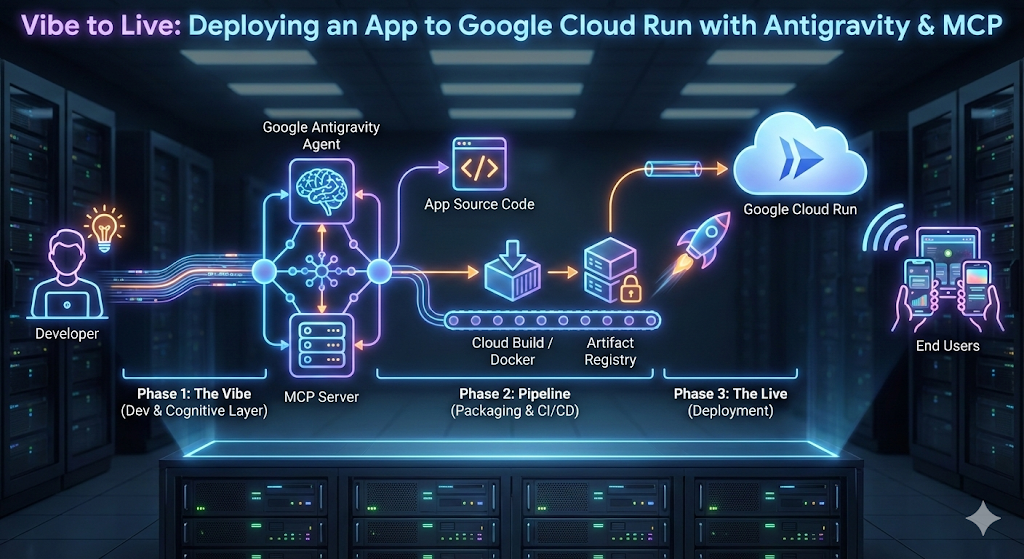
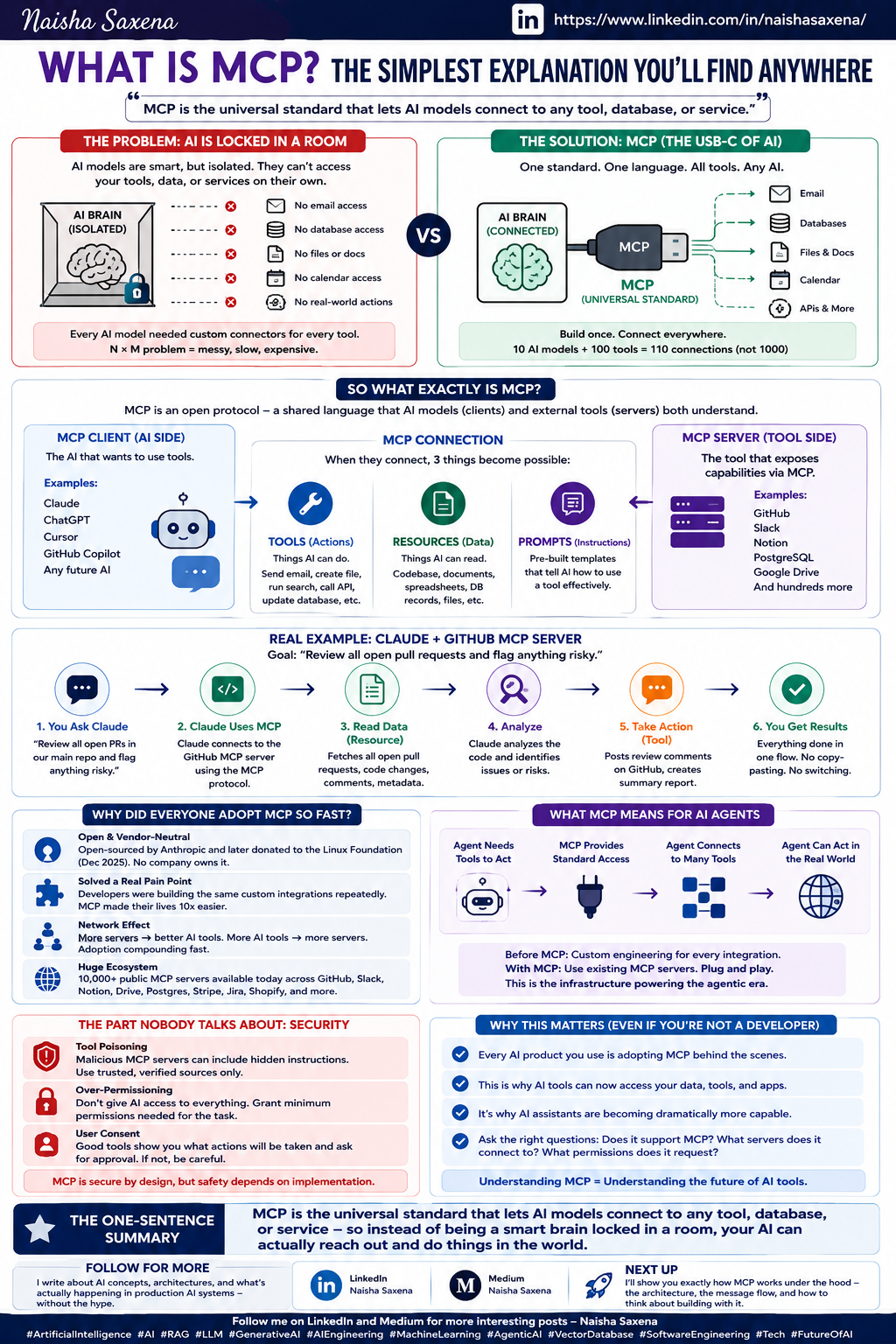
MCP is the emerging standard for connecting agents to tools. Previously, you wrote proxy middleware to expose private databases or internal APIs. Now you pass an mcp_server tool directly in the interaction call.
const result = await ai.interactions.create({
  agent: myAgentId,
  input: "Summarize this quarter's overdue invoices.",
  tools: [
    { mcp_server: { url: "https://mcp.internal.example.com", auth: "..." } },
    { code_execution: {} },   // mix remote tools with built-in ones
  ],
});
Why it matters: You can now connect your agent to private databases, internal APIs, or custom data sources without custom glue code. For Claude Code users, this means your agents can access your production data securely.
3. Custom Function Calling Alongside Sandbox Tools
Built-in tools (code execution, search) run automatically server-side. Custom functions trigger a requires_action state, handing control back to your client to run local business logic.
if (status.state === "requires_action") {
  const call = status.required_action.function_call;
  const output = await runLocally(call.name, call.args); // your business logic
  await ai.interactions.submit({
    interaction: status.id,
    response: { output },
  });
}
Why it matters: You can mix automated sandbox tools with your own business logic — think running a local database query, calling an internal API, or triggering a CI pipeline.
4. Network Credential Refresh
Not detailed in the source, but crucial for production: agents can now refresh network credentials automatically, so long-running tasks don't fail due to expired tokens.
Try It Now — Steps to Get Started
- Enable the Gemini Interactions API in your Google Cloud project.
- Create a managed agent using the
@google/genaiJavaScript SDK (or Python/cURL equivalents in the Antigravity docs). - Test background execution: Send a task with
background: true, poll the returned ID. - Connect an MCP server: Point it at an internal endpoint (start with a read-only database query).
- Add custom functions: Implement a
requires_actionhandler for business logic.
When to Use It vs. Bedrock AgentCore
The source compares Gemini Managed Agents to Amazon Bedrock AgentCore. The tradeoff: Gemini couples tightly to one model family behind one endpoint (simpler setup, less flexibility). AgentCore is model-agnostic and AWS-native (more control, more assembly).
Choose Gemini if: You want a single endpoint, minimal glue code, and are already in Google Cloud.
Choose AgentCore if: You need model flexibility (Claude, Llama, etc.) or deep AWS integration.
Bottom Line
These four features push Gemini Managed Agents from demo-friendly to production-ready. The background: true flag alone changes how you architect agentic workflows — no more fragile long-lived connections. Combine it with remote MCP servers, and you have a powerful platform for building agents that touch your real data.
Source: dev.to