Software discovery is no longer just a search problem. Today, a product might be discovered through a search engine, a curated directory, an AI assistant, or an autonomous agent assembling a shortlist. Your directory must serve all these consumers from a single source of truth.
Here's how to build a SaaS discovery engine that serves humans, search engines, and AI agents using Next.js, PostgreSQL, and the Model Context Protocol (MCP).
Key Takeaways
- Build an AI-ready SaaS directory by designing a canonical product entity first, then exposing it via MCP.
- Use Prisma, Zod, and JSON-LD to serve humans, search engines, and AI agents from one source of truth.
The Architecture Principle: One Source of Truth

The most important design principle: store product facts once, then generate every public representation from the same canonical record.
Without a single source of truth, your homepage may call a product an "automation tool," your directory listing may call it a "productivity platform," and your API response may classify it as a "developer tool." Humans can sometimes resolve that inconsistency. Machines are much less forgiving.
1. Design the Product Entity Before the UI
It's tempting to start with cards, filters, and landing pages. Start with the entity model instead.
A useful product profile needs more than a name and description. Here's a Prisma model that provides a solid foundation:
enum ProductStatus {
  DRAFT
  PENDING_REVIEW
  PUBLISHED
  REJECTED
  ARCHIVED
}

enum PricingModel {
  FREE
  FREEMIUM
  SUBSCRIPTION
  USAGE_BASED
  ONE_TIME
  ENTERPRISE
  OPEN_SOURCE
}

model Product {
  id               String        @id @default(cuid())
  slug             String        @unique
  name             String
  tagline          String
  shortDescription String
  description      String
  websiteUrl       String
  logoUrl          String?
  pricingModel     PricingModel
  isAiNative       Boolean       @default(false)
  status           ProductStatus @default(DRAFT)
  // ... categories, audiences, features, FAQs, media, social links
  visibilityScore  Int           @default(0)
  publishedAt      DateTime?
  createdAt        DateTime      @default(now())
  updatedAt        DateTime      @updatedAt
}
This schema deliberately separates categories, audiences, features, FAQs, and media. Storing all of them in one JSON column would make initial development faster, but it would make filtering, analytics, validation, and recommendations harder later.
Separate fields by purpose:
- Identity fields (change rarely): name, slug, website URL, company, primary category
- Descriptive fields (can evolve): tagline, long description, features, screenshots, FAQs
- Operational fields (platform-maintained): moderation status, visibility score, verification date
This distinction helps with permissions. A founder may edit a tagline, but should not directly edit a visibility score or moderation status.
2. Build a Strict Submission Pipeline
Public directories attract inconsistent data. A submission endpoint should perform four stages:
- Parse and validate — Use Zod to define the input boundary
- Normalize — Strip tracking parameters, lowercase URLs, clean category names
- Detect duplicates — Check for existing products with the same website URL
- Store as pending review — Don't publish immediately
const productSubmissionSchema = z.object({
  name: z.string().trim().min(2).max(100),
  websiteUrl: z.string().url().transform(cleanUrl),
  pricingModel: z.nativeEnum(PricingModel),
  categorySlugs: z.array(z.string()).min(1).max(5),
  // ...
});
3. Expose Your Data via MCP for AI Clients

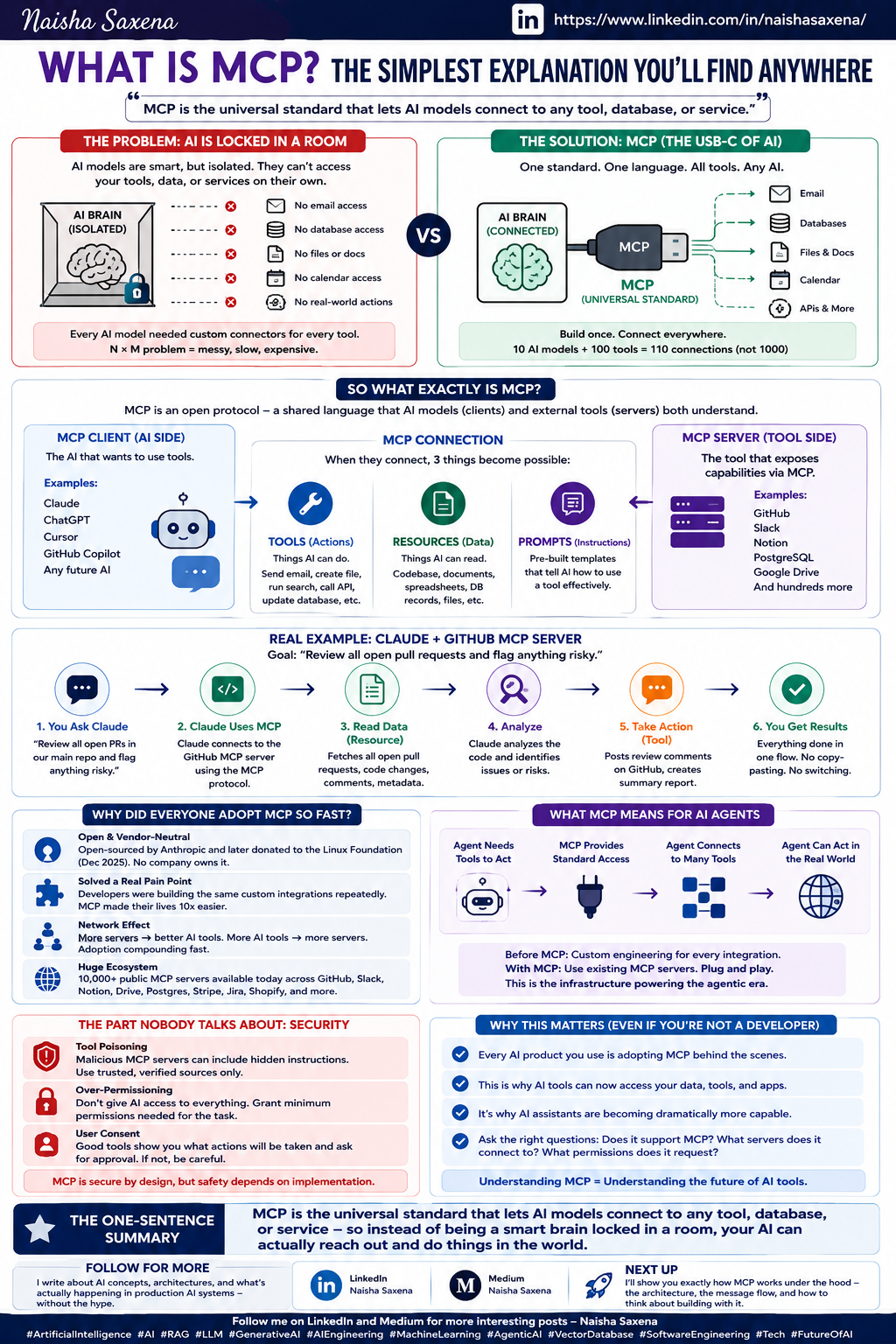
This is where the Model Context Protocol (MCP) comes in. Instead of building a separate API for AI agents, expose your product data through an MCP server that connects directly to Claude Code and other AI assistants.
// mcp-server.ts
import { Server } from "@modelcontextprotocol/sdk/server/index.js";
import { StdioServerTransport } from "@modelcontextprotocol/sdk/server/stdio.js";

const server = new Server({
  name: "saas-discovery",
  version: "1.0.0",
}, {
  capabilities: {
    resources: {},
    tools: {},
  },
});

server.setRequestHandler(ListToolsRequestSchema, async () => ({
  tools: [{
    name: "search_products",
    description: "Search SaaS products by category, audience, or keyword",
    inputSchema: {
      type: "object",
      properties: {
        query: { type: "string" },
        category: { type: "string" },
        audience: { type: "string" },
        limit: { type: "number", default: 10 },
      },
    },
  }],
}));
With this MCP server, Claude Code users can query your directory directly:
claude code search_products query="project management" audience="startups" limit=5
4. Add JSON-LD for Search Engines
Each product page should include structured data for search engines:
// app/products/[slug]/page.tsx
import { jsonLdScript } from "@/lib/json-ld";

export default async function ProductPage({ params }) {
  const product = await getProduct(params.slug);

  return (
    <>
      <script
        type="application/ld+json"
        dangerouslySetInnerHTML={{
          __html: JSON.stringify(jsonLdScript(product))
        }}
      />
      {/* rest of the page */}
    </>
  );
}
Try It Now: Your Next Steps
- Define your Prisma schema first — start with the entity model, not the UI
- Add Zod validation to your submission endpoint
- Create an MCP server that exposes your product data as tools and resources
- Add JSON-LD to every product page for SEO
- Connect your MCP server to Claude Code with
claude mcp add
Your SaaS directory should be a product knowledge system that serves every consumer from one canonical record. Start with the data model, and everything else follows.
Source: dev.to
[Updated 20 Jul via devto_mcp]
The MCP ecosystem has exploded to 13,000+ servers on npm and GitHub as of May 2026, with 97 million monthly SDK downloads — triple the volume from six months ago, according to a recent ecosystem analysis [per devto_mcp]. This 400% YoY growth in new server registrations underscores the urgency of building discoverable directories like the one described above. Anthropic's official servers alone see 48,500 downloads per month for the filesystem server, highlighting the gap between supply and findability that a well-structured SaaS discovery engine can fill.