The Technique — Python's FastMCP SDK

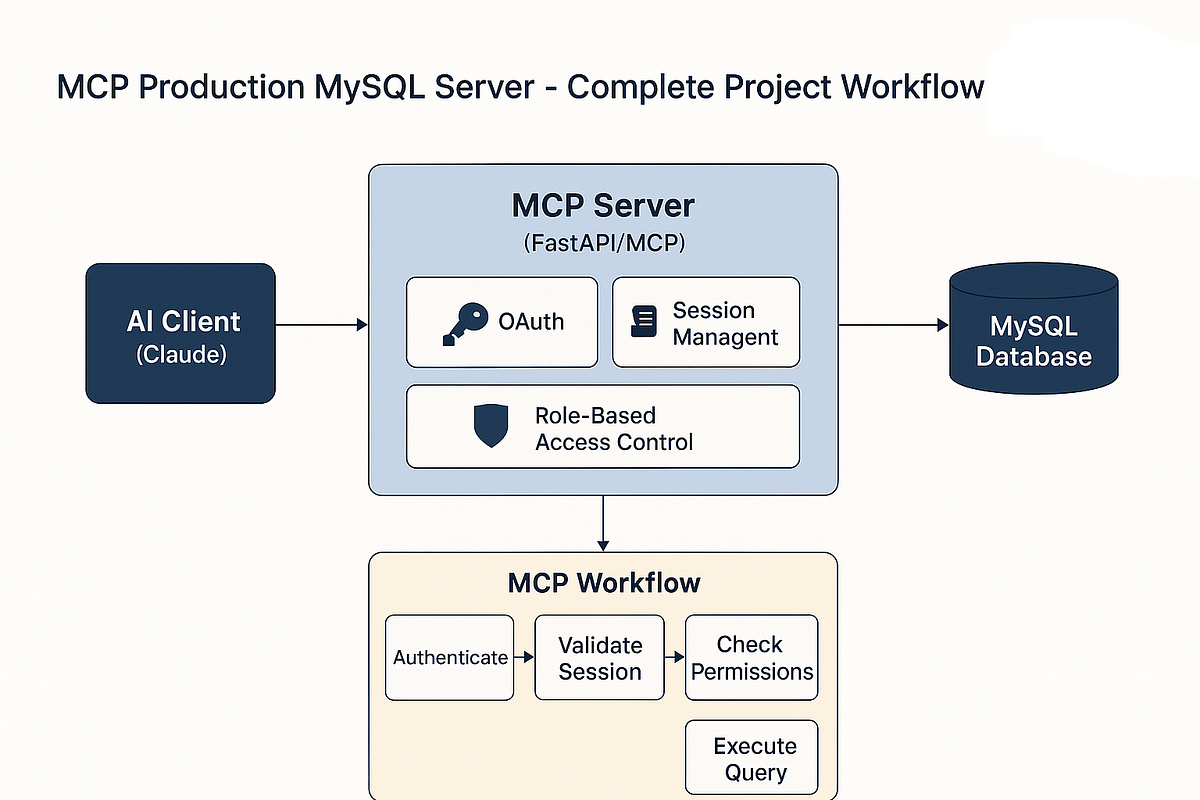
Building custom MCP (Model Context Protocol) servers is simpler than most developers realize. The official Python SDK's FastMCP class lets you create tools Claude Code can call directly from your terminal with just decorators and type hints.
Instead of copying data into prompts, you give Claude direct access to your systems. The author has built servers for WordPress publishing, Skool community management, and YouTube analytics—all following the same pattern.
Why It Works — Stdio Over HTTP
MCP runs over JSON-RPC through stdio, not HTTP. Your server starts as a subprocess that Claude Code spawns and talks to via stdin/stdout. No webhooks, no ports, no authentication headaches. If you've built a CLI tool before, building an MCP server is simpler.
The protocol uses your Python function signatures and docstrings to generate JSON schemas Claude understands. Type hints are required—they become the tool's parameter definitions.
How To Apply It — Start with These Tools
First, install the SDK:
mkdir my-mcp-server && cd my-mcp-server
python3 -m venv .venv && source .venv/bin/activate
pip install mcp[cli]
The mcp[cli] package includes everything: server framework, CLI tools, and a dev inspector for testing.
Create server.py with this starter template:
from mcp.server.fastmcp import FastMCP

mcp = FastMCP("my-tools")

@mcp.tool()
def get_system_info() -> str:
    """Return basic system information."""
    import platform
    return (
        f"OS: {platform.system()} {platform.release()}\n"
        f"Python: {platform.python_version()}\n"
        f"Machine: {platform.machine()}"
    )

@mcp.tool()
def count_files(directory: str, extension: str = "") -> str:
    """Count files in a directory, optionally filtered by extension.

    Args:
        directory: Path to the directory to scan
        extension: File extension to filter by (e.g. '.py', '.json')
    """
    from pathlib import Path

    path = Path(directory).expanduser()
    if not path.is_dir():
        return f"Error: {directory} is not a valid directory"

    if extension:
        files = list(path.rglob(f"*{extension}"))
    else:
        files = [f for f in path.rglob("*") if f.is_file()]

    return f"Found {len(files)} files in {directory}" + (
        f" matching {extension}" if extension else ""
    )

if __name__ == "__main__":
    mcp.run(transport="stdio")
Three critical elements:
- The
@mcp.tool()decorator registers your function - Type hints are required for all parameters
- Docstrings become tool descriptions—write them like you're explaining to a colleague
Adding External API Access
Most useful MCP servers connect to external services. Here's an async tool that checks website status:
import httpx

@mcp.tool()
async def check_website(url: str) -> str:
    """Check if a website is reachable and return its status code.

    Args:
        url: Full URL to check (e.g. https://example.com)
    """
    async with httpx.AsyncClient(timeout=10) as client:
        try:
            response = await client.get(url)
            return f"{url}: {response.status_code}"
        except Exception as e:
            return f"Error checking {url}: {str(e)}"
Testing and Connecting to Claude Code
Test your server with the included inspector:
mcp dev server.py
Once working, add it to your Claude Code configuration. Create or edit ~/.config/claude-code/claude_desktop_config.json:
{
  "mcpServers": {
    "my-tools": {
      "command": "python",
      "args": ["/full/path/to/server.py"],
      "env": {
        "PYTHONPATH": "/full/path/to/project"
      }
    }
  }
}
Restart Claude Code, and your tools will appear in the interface. Claude will call them automatically when relevant to your conversation.
What to Build First
Start with tools that eliminate your most frequent copy-paste operations:
- Database query runners
- API status checkers
- File system operations
- Build/deployment scripts
- Log file analyzers
Each tool should do one thing well. Claude can chain them together for complex workflows.
The Real Power: Eliminating Context Switching
The biggest win isn't the tools themselves—it's staying in flow. Instead of switching to a terminal, running a command, copying output, and pasting it back to Claude, you just ask Claude to do it. The conversation stays continuous, and you stay focused.