Key Takeaways
- Fix subagent routing by making
descriptiona trigger condition, not a title. - Use
/doctorfor name collisions and validatetoolsentries. - This turns your custom agents into reliable specialists.
The Problem: Your Subagent Is Invisible
You wrote a .claude/agents/ file, but Claude Code never delegates to it. The docs make it sound simple—drop a Markdown file with YAML frontmatter and you're done. Yet most "my subagent doesn't work" complaints trace back to three details that are easy to skim past: the description field is the router, name collisions silently drop a file, and one bad tools entry stops the agent from launching at all.
Here's the whole system, verified against the current docs, so you can fix yours in minutes.
The 30-Second Version
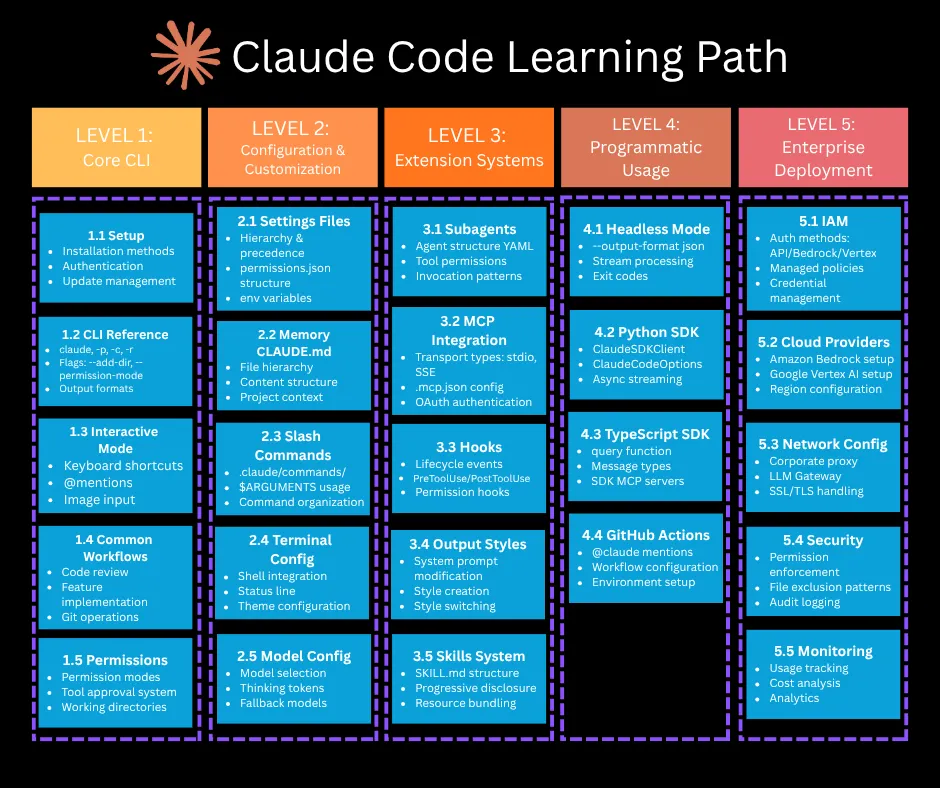
A subagent is one Markdown file with YAML frontmatter:
---
name: code-improver
description: "Scans files and suggests improvements for readability, performance, and best practices. Use after writing or modifying code."
tools: Read, Grep, Glob
model: sonnet
---

You are a code review specialist. When given files, analyze them for
readability, performance, and adherence to best practices. Report
concrete, minimal suggestions with file:line references.
Where you put it decides who gets it:
.claude/agents/in your project → this project (usually committed, so your team shares it)~/.claude/agents/→ every project on your machine
Both locations are scanned recursively, so you can organize files into subfolders like agents/review/. The subfolder path changes nothing about how the agent is identified—identity comes only from the name field, not the filename or path. Only name and description are required. Everything else is optional.
Delegation Is Just Description Matching
Claude reads every subagent's description and decides to delegate when a task matches it. That's the entire routing mechanism. There is no registration step, no config toggle—the quality of your description is the trigger.
Which means the most common failure is writing a description like a title:
# never gets used
description: Database expert

# gets used
description: Reviews SQL queries and schema changes for slow patterns,
  missing indexes, and migration risks. Use when SQL or migration files change.
The second one works because it describes when to delegate, not just what the agent is. If you want delegation to happen without being asked, say so in the description—phrasing like "use proactively after code changes" is exactly what the official examples do.
You can always bypass routing and invoke one explicitly: "Use the code-improver subagent on the files I just changed."
The Fields That Actually Matter
The full frontmatter list is longer, but these are the ones you'll reach for:
tools
Allowlist. Omit it and the agent inherits every tool available to subagents.
disallowedTools
Denylist, subtracted from the inherited or specified list.
model
sonnet, opus, haiku, a full model ID, or inherit (the default).
maxTurns
Hard cap on agentic turns before the subagent stops.
skills
Skills preloaded into the subagent's context at startup—full content, not just the description.
memory
user, project, or local—gives the agent persistent memory across sessions.
background
true forces background execution. Left unset, Claude chooses (and current versions default to background).
isolation
worktree runs the agent in a temporary git worktree so its edits can't collide with yours.
Two sharp edges in tools: the entries must resolve to real tool names—if none of them do, the subagent fails to launch with an error naming the bad entries. And if you want a Skill preloaded, use the skills field; listing Skill in tools only grants the invocation tool, it doesn't load anything.
One sharp edge in name: lowercase letters and hyphens, and no :—colons are reserved for plugin-scoped identifiers like my-plugin:reviewer. Current versions refuse to load a file whose name contains one, and the only symptom is a line in the debug log.
Precedence: Who Wins When Names Collide
When multiple subagents share a name, the higher-priority location wins: managed (organization-deployed) definitions beat project definitions, which beat user definitions, which beat plugin agents. Across nested project directories, the definition closest to your working directory wins.
The dangerous case is two files with the same name under the same .claude/agents/ tree—including subfolders. Claude Code loads only one, chosen by filesystem read order, not by any documented rule. Nothing warns you at runtime; your carefully updated definition may simply not be the one running. /doctor reports same-directory duplicates, so run it whenever a subagent behaves like an older version of itself.
Also worth knowing: a project or user subagent named Explore overrides the built-in read-only Explore agent. That's occasionally useful (for example, pinning exploration to a cheaper model with model: haiku)—and occasionally an accident, when someone names a general agent "explore" and quietly replaces the built-in.
A Note on the /agents Command
Older writeups tell you to run /agents for an interactive creation wizard. That wizard is gone in current versions—/agents now just points you at editing .claude/agents/ directly, or you ask Claude to write the file for you. The file format and locations didn't change, so any existing agent files keep working.
Debug Checklist
When a subagent isn't being used, this order finds it fastest:
- Does the file load at all? Name has a colon, or YAML is malformed → silently skipped. Check the debug log.
- Is your definition the one running? Duplicate
nameanywhere in the tree → run/doctor. - Does the description say when to use it? Rewrite it as a trigger condition, not a job title.
- Do the
toolsentries resolve? A typo likeGrepsfails the launch with a zero-tools error. - Still nothing? Invoke it explicitly by name once. If explicit invocation works but automatic delegation doesn't, it's always the description.
Source: dev.to